Best Client Onboarding Software for Law Firms
October 30, 2026 · 22 min read
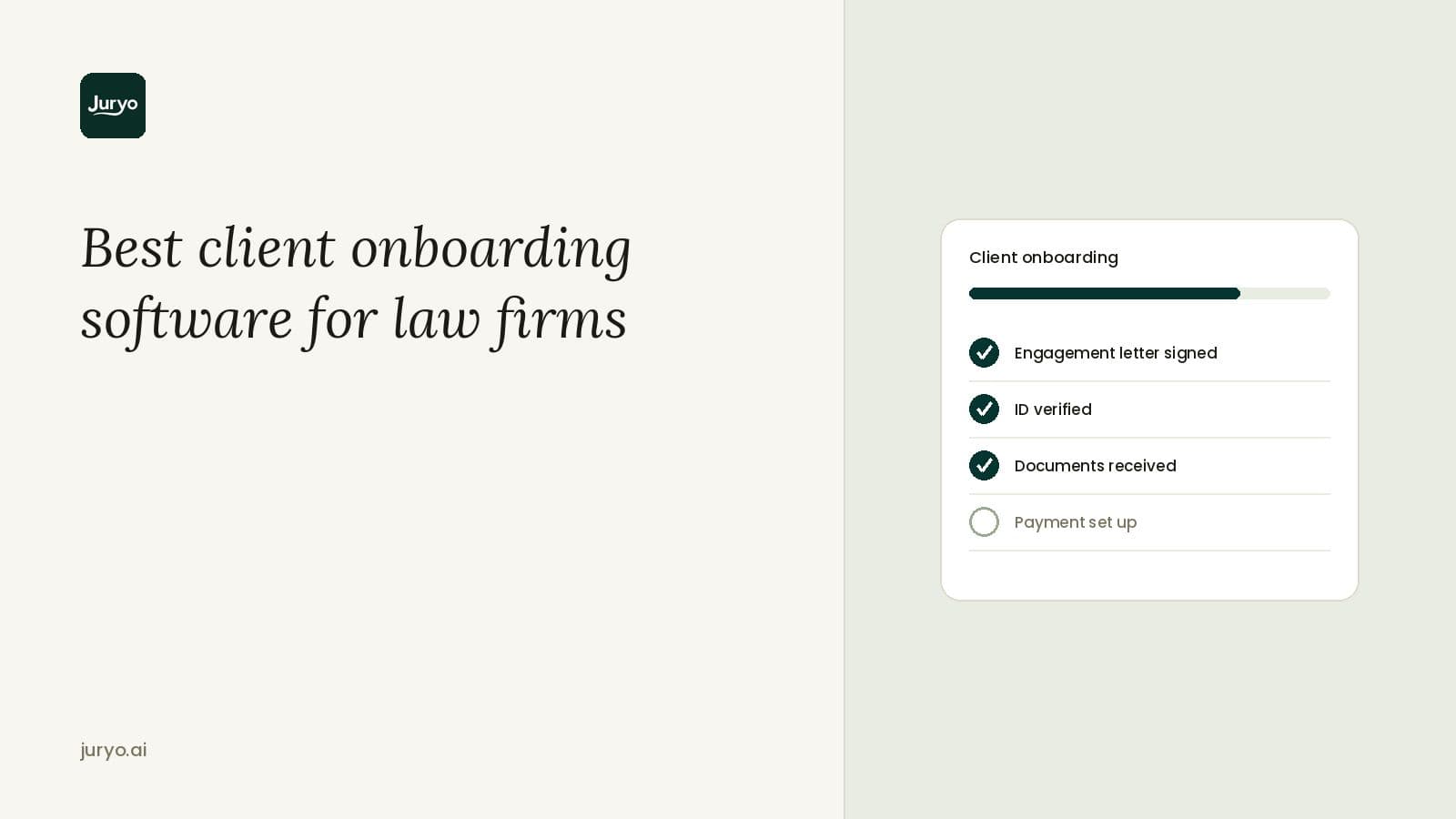
What happens after a client signs an engagement letter? The obvious thing you may think is that the firm starts working on the case. But there’s a lot that goes into starting the work. To get started working on a legal matter, firms require a lot of context and documentation. Before digitisation, clients would have to physically visit the law firm with an appointment to submit the documents manually and get the ball rolling. However, today you have client onboarding software for law firms for that.
So, what does the client onboarding software for law firms do? After the engagement letter is signed, this software offers a checklist and a portal to the client. In theory, that is all client onboarding software does, but in 2026 that is no longer enough. Delayed document submissions and incomplete documents can waste the billable hours of your fee earners.
This is why we’ve compared the seven best client onboarding tools for UK law firms. We’ve ranked these tools against each other on crucial factors, such as how they collect documents, whether they chase the client for what is missing, which channels clients can reply on, whether they check the file is complete, and of course, pricing. With this comparison, you’ll have all the details you need to make a decision on which client onboarding software you should choose for your law firm.
Client onboarding software compared
| Tool | Best for | Chases outstanding documents | Where the client responds | Checks the file before handover | ID and AML checks | Price |
|---|---|---|---|---|---|---|
| Juryo | B2C law firms that need every document collected with a complete file handover | Yes, Jessica, Juryo’s onboarding agent, follows up until every document arrives | Clients can respond on WhatsApp, phone, email, web chat, and social media in English and Spanish, 24/7 | Yes, Jessica checks to ensure no file is missing before handover | ID and AML checks stay with your existing provider | Based on successful conversion |
| Legl | Firms combining client onboarding, CDD, source of funds, and payments | Risk Rules can prompt clients to correct non-conforming submissions | Branded online workflow, no app download required | Checks submissions against your risk rules | ID verification, screening, source of funds, and monitoring; some features are plan-dependent | Book a demo; tailored pricing options |
| Thirdfort | Firms needing specialist ID, AML, and source-of-funds checks | No | Thirdfort client app | ID documents only | ID, AML, source of funds, KYB, and related checks | From £167 a month plus VAT, plus credits for completed checks |
| InfoTrack (eCOS) | Conveyancing and private-client onboarding | Automatic alerts and reminders; client progress tracking | Branded web/mobile onboarding experience | No | ID, AML, source of funds and source of wealth | £12 per party (property) or £8 per matter (verification), plus VAT |
| Clio (Clio for Clients) | Firms already using Clio for client communication and document sharing | Reminders only | Secure web portal and mobile app | No | Not a native standalone ID/AML checking product | Clio Manage Core from £79 per user per month |
| Hoowla | Conveyancing firms automating client-document collection | Auto-Chase with configurable reminders | Client portal | No | AML integrations including Armalytix; Confirmly addresses conveyancing payment fraud | Not published; per completed case for conveyancing, per user per month for case management |
| Moxo | Firms designing configurable onboarding and service-delivery workflows | Intelligent nudges, reminders, and notifications | Workflow portal; advanced branding is plan-dependent | Tracks workflow progress and bottlenecks | No | Not published |
The 7 best law firm client onboarding software tools
Our recommendations are detailed and cover what each tool does, who it suits, and what it costs. This will help you identify which tool fixes your onboarding bottleneck.
1. Juryo

Best for: UK B2C law firms that want every new client’s documents collected and checked without staff chasing.
Juryo functions as an AI operating system for B2C law firms. It is powered by a team of AI agents that carry each client from first call to contract signing to a completed file. For onboarding, Juryo helps law firms that are stuck after signing a client.
A matter cannot be opened until the documents arrive and Juryo can help law firms with just that. Jessica, Juryo’s onboarding agent, asks each new client for all the documents required for their case. She follows up with the client until each of the documents have arrived. Once the documents are with your firm, Jessica also checks to make sure nothing is missing before handing over a complete file to the solicitor.
Jessica can work on WhatsApp, phone, email, web chat, and social media, in English and Spanish, 24/7. This ensures clients can send in their case documents outside office hours and still get instant responses.
Jessica sits between two other AI agents from the Juryo team, namely, James, Juryo’s sales agent who sends the engagement letter and collects the signature, and Julia, Juryo’s customer support agent for existing clients. All three agents share one memory, so the client never repeats what they have already told one agent. Every agent tells clients openly that it is an AI agent and passes anything beyond its remit to your team.
The remaining two Juryo agents are George for legal intake and John for overdue invoice collections. Juryo integrates with Clio Manage and works alongside your existing CRM, case software, and calendar.
Key features
- Jessica requests the case documents and follows up until every one arrives
- Completeness check is done automatically before handover to solicitor
- English and Spanish support available 24/7
- Voice, web chat, email, social media, and WhatsApp support on one platform
- Shared memory with James (sales agent) and Julia (customer support agent)
- Integrates with Clio Manage, works alongside your CRM, calendar, and case software
Pros
- Hands over a checked, complete file instead of a half-filled checklist
- Gets documents in through conversation on a channel (phone, email, web chat, WhatsApp, social media) the client already answers
- Escalates anything beyond Jessica’s remit to fee earners
Cons
- Collects and checks case documents; ID and AML checks stay with your existing provider.
Pricing: Juryo’s pricing is based on successful conversion. You can book a demo today to learn more about how Juryo can work as a complete AI operating system for your law firm.
2. Legl
Best for: Firms that want client due diligence, source of funds and payments in one client workflow.
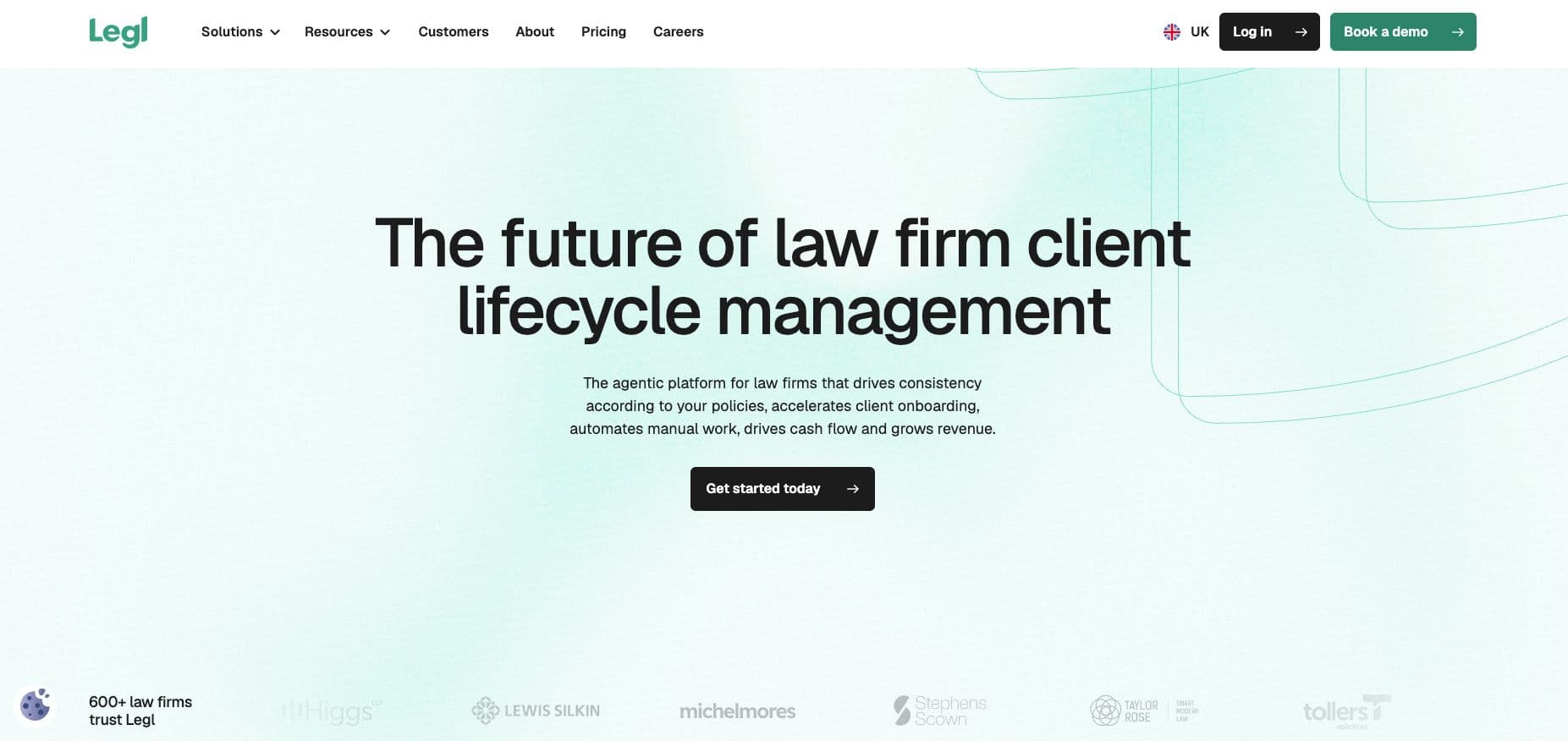
Legl is a compliance and client operations platform for law firms. Its client-facing workflow joins forms, intake, client due diligence, payments, and source of funds. Legl also has AI risk agents that flag discrepancies and non-conformity with the firm's risk policies for human attention. Legl says it works with 600+ firms, including 50+ of the UK Top 200. The primary service offered by Legl is its compliance service where it treats a missing source of funds document with the seriousness a risk partner would want.
Key features
- IDV, watchlist screening, source of funds, risk assessments, and ongoing monitoring
- Native integration with Clio Manage, Clio Operate, Actionstep, iManage, NetDocuments, and other document and practice management systems.
- Supports e-signatures and custom forms
- AI risk agents flag discrepancies against your risk policies for review
- ID checks certified under the UK Digital Identity and Attributes Trust Framework (DIATF)
Pros
- Strong UK law firm adoption, including 50+ of the Top 200
- Compliance, forms, and payments in one client journey
- Modular pricing, which allows you to pay only for what you use
Cons
- No published prices
Pricing: The official pricing page of Legl does not list any pricing plans directly. However, it does mention the presence of modular pay only for what you use pricing with predictable monthly billing. It doesn’t have any hidden implementation fees.
3. Thirdfort
Best for: Firms whose onboarding stalls on ID, AML and source of funds checks.
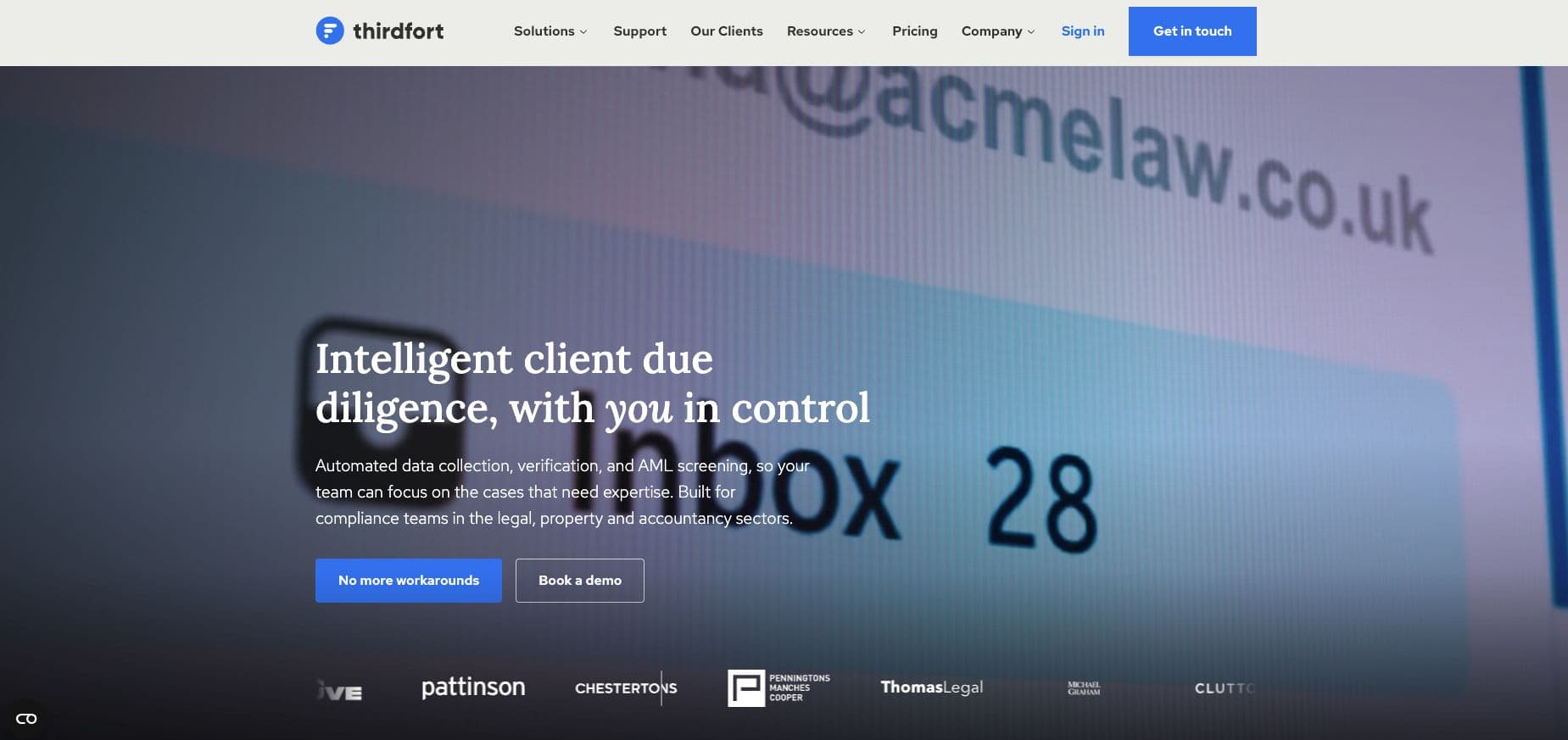
Thirdfort is a digital client onboarding and compliance platform that works remotely through its app. It can verify identity while meeting HM Land Registry’s Digital ID standard and certified against the UK Digital Verification Service (DVS) trust framework. It screens for PEPs and sanctions with ongoing monitoring, gathers source of funds evidence with banking data and an intelligent questionnaire. It also performs checks on the people behind a business.
Its app stops clients submitting poor quality ID photos. Thirdfort states 96% of its Know Your Business reports return in under 60 seconds and 75% of individuals complete checks within 24 hours.
Key features
- Remote ID verification and AI document verification
- PEP and sanctions screening with ongoing monitoring
- Source of funds via banking data and a questionnaire
- Tasks for escalations and a firm-wide insights dashboard (available on Compliance plan and above)
Pros
- Fast checks completed on the client’s phone
- Unlimited users and UK-based support
Cons
- Monthly platform fee plus credits for every check
- 12-month contracts
Pricing: Thirdfort has three official plans on its website for law firms. The three plans are Essentials, Compliance, and Enterprise. The Essentials plan has its pricing publicly listed on the official Thirdfort website, which starts at £167 a month plus VAT, plus credits for each check, and you only pay for completed checks; Compliance and Enterprise quote only.
4. InfoTrack (eCOS)
Best for: Conveyancing and private client teams that want ID, AML, TA forms and signatures in one place.
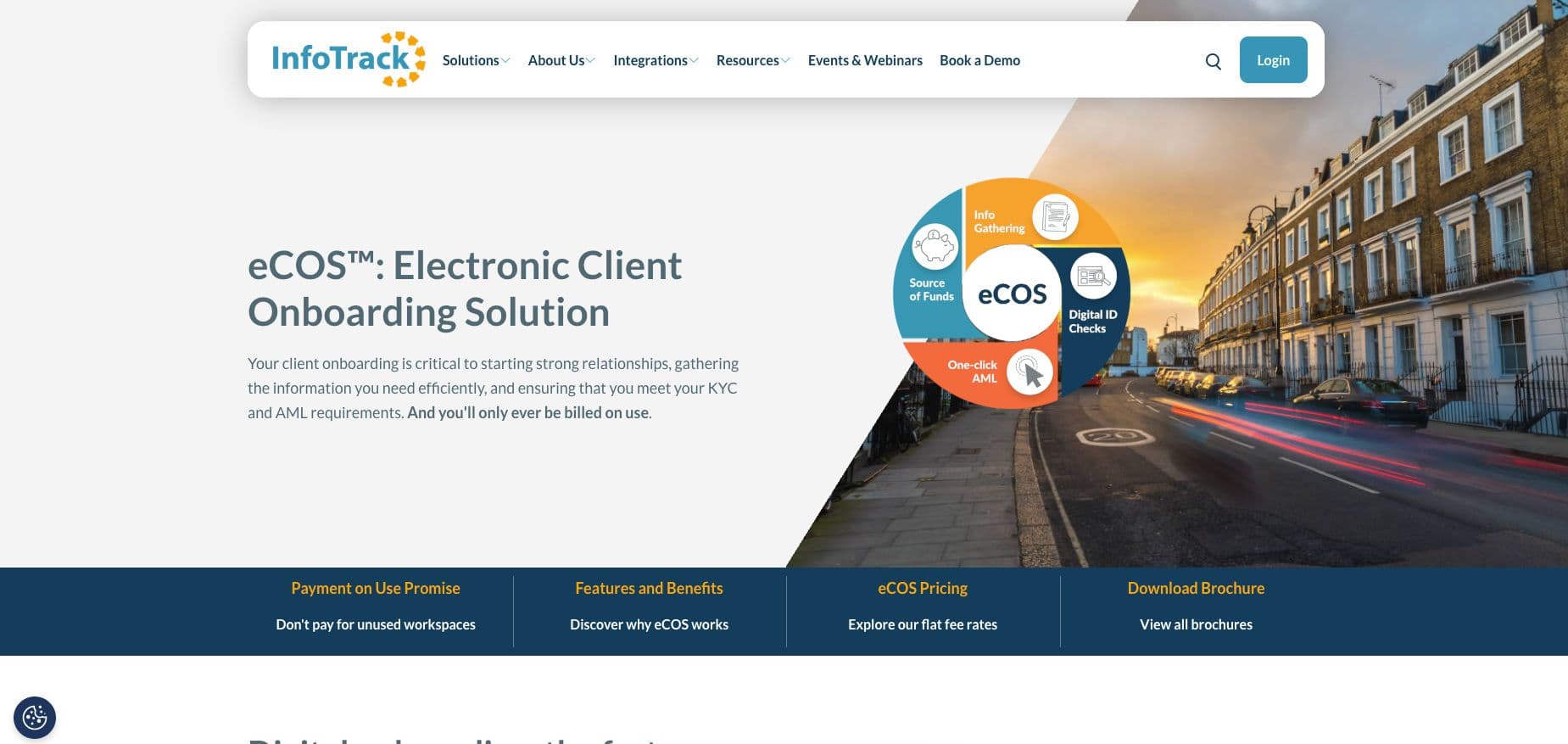
eCOS is InfoTrack’s UK electronic client onboarding workspace. It combines matter-specific client questionnaires, digital ID checks, source of funds, and wealth checks in one platform. It also offers AML checks with PEP, sanctions, and adverse media screening with 12 months of free monitoring. On these checks, eCOS overlaps with Thirdfort.
As a law firm, you get a branded mobile app for your firm. It integrates with case management systems including Clio, LEAP, Osprey, and Actionstep.
Key features
- Matter-specific client questionnaire
- Robust case management system integrations
- Licensed Law Society TA forms and e-signatures for property matters
- Digital ID, AML, and source of funds and wealth checks
- Branded consumer mobile app
Pros
- Strong fit for residential conveyancing workflows
- Compliance and property forms in one workspace
- Published flat fees, billed only when a client completes an onboarding task
Cons
- The non-property tier leaves out TA forms and e-signatures
Pricing: Property Onboarding (sale, purchase, and giftor matters) is £12 per party exclusive of VAT. Verification Onboarding (private client, commercial client, or verification only) is £8 per matter, exclusive of VAT.
5. Clio (Clio Manage and Clio for Clients)

Best for: Firms already running Clio Manage that want a secure client portal attached to each matter.
Clio for Clients is the client portal that sits on top of Clio Manage, which is Clio’s practice management software. Clients can sign up from the link their lawyer emails them and log in with Face ID or Touch ID on the app. They can scan and upload documents and send messages that save automatically to the right matter. You should also know that Juryo integrates with Clio Manage, so Jessica’s completed file lands where Clio firms already work. You can check out our guide on AI intake agents that integrate with Clio to learn more.
Key features
- Client portal and mobile app with biometric login
- Mobile document scanning and uploads from other apps
- Messages and documents saved automatically to the matter
Pros
- Published UK starting price
- Built into widely used practice management software
Cons
- Per-user pricing, with Signature and Elite on quote only
- The client has to sign up and log in before anything arrives
- Client intake and CRM (Clio Grow) is a separate add-on or part of the Elite plan
Pricing: Clio Manage Core from £79 per user per month; Signature and Elite quote only.
6. Hoowla
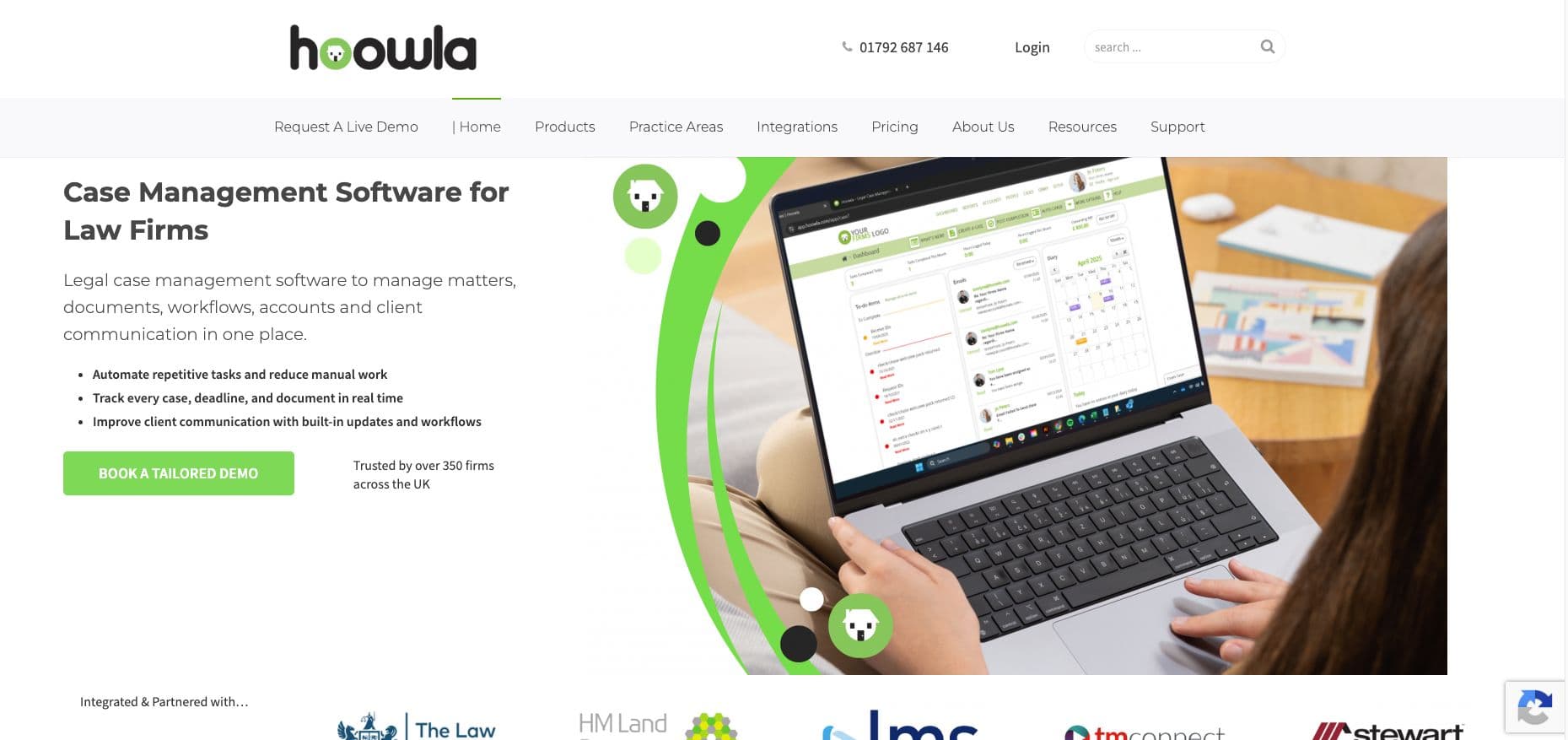
Best for: Conveyancing firms that want quoting, onboarding, and case management in one system.
Hoowla is a UK case management platform for law firms, with legal accounting built in. The platform started with conveyancing and now also covers family, wills and probate, personal injury, litigation, and immigration matters. Its conveyancing onboarding starts with a website form that feeds client details into the system. Once the client accepts a branded quote online, a client profile is created, the case file is created, and tasks are assigned. Hoowla can send automatic follow-ups when a quote has not been accepted. The platform states that it is trusted by over 350 law firms in the UK.
Key features
- Website form to case file with no retyping
- Client portal with secure access to the case
- Auto Chase reminders for outstanding documents
- Online quote acceptance that creates the client profile and case file
- AML checks with Armalytix and Confirmly integrations
Pros
- Quote to open matter in one system
- Automated document reminders
- Conveyancing billed per completed case, no fee for fall-throughs
Cons
- Onboarding is built around conveyancing
Pricing: Not published; per completed case for conveyancing, per user per month for case management.
7. Moxo
Best for: Firms with an operations team that wants to design its own onboarding workflows.
Moxo is an AI workflow automation platform for business operations. It also has customer onboarding as a part of its B2B processes. Its workflow combines forms, file requests, tasks, approvals, and compliant e-signatures with an audit trail. AI agents prepare work inside each workflow while people approve the decisions. Clients get access to a branded portal and the firm gets live progress tracking.
Key features
- REST API, webhooks, MCP server, SDKs, and data sync to CRMs and case management tools
- Intelligent reminders and nudges
- AI agents that prepare work, with people approving decisions
- Branded client portal
- Forms, file requests, approvals, and e-signatures in one workflow
- Progress tracking and bottleneck analytics
Pros
- Flexible workflow design
- Runs in Moxo’s cloud, your own cloud, or on premises
- Free trial available on request
Cons
- No published pricing
- Built for general B2B processes, not specifically for legal practices
Pricing: Moxo doesn’t publish its pricing publicly. However, it does offer a free trial on request along with a demo.
Client portal vs onboarding agent: What each one actually does
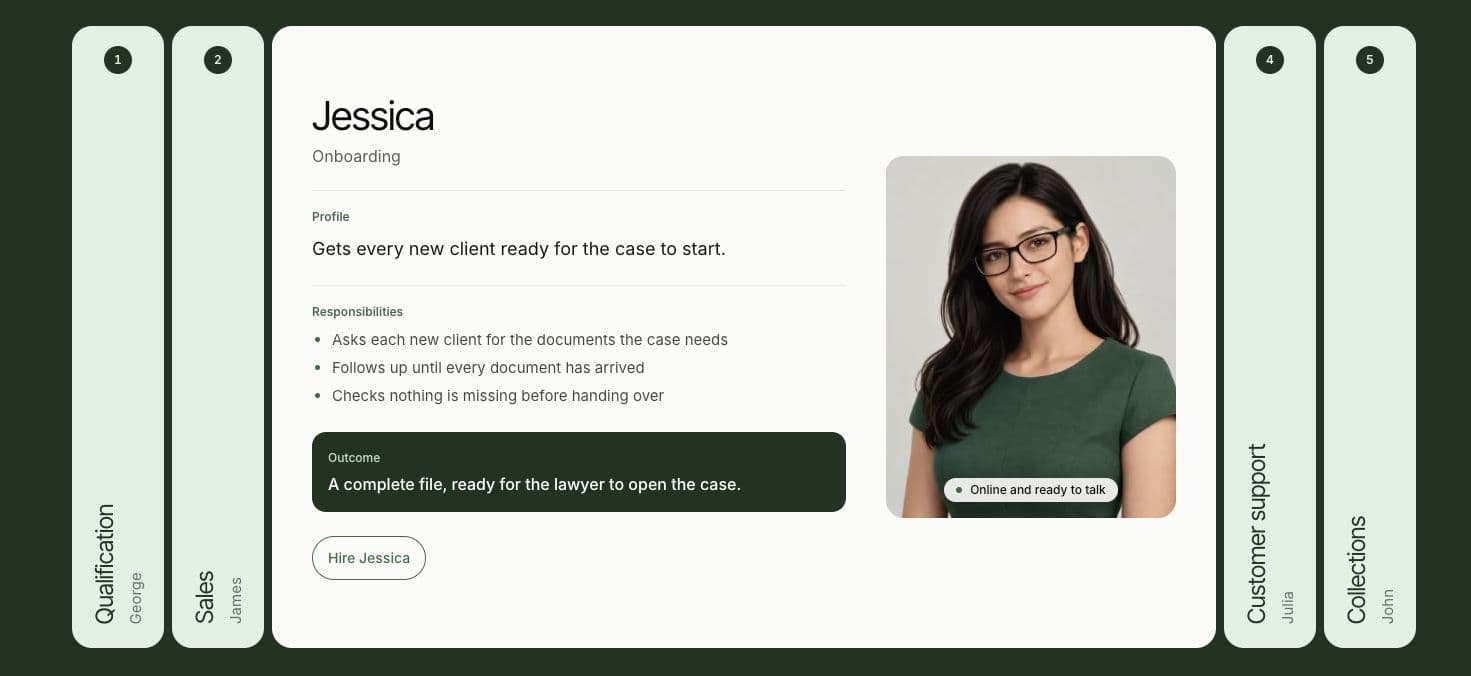
A client portal and onboarding agent are fundamentally different. The client portal is a place where your client has to come to upload their documents. The onboarding agent goes to the client and gets the document on a channel where they’re already present. Among the two, as you can imagine, onboarding agents have less friction since they do not require clients to sign up or create an account, just to share their case documents.
When you use a client portal, the paralegal for your law firm checks which files are incomplete and has to follow up with the client to share the remaining files. With Jessica, the follow up has already happened on WhatsApp or by phone, and the paralegal sees the completed files ready to hand over to a solicitor.
Here’s a tabular comparison of a client onboarding portal vs Juryo
| Job | Typical client onboarding portal | Juryo (Jessica) |
|---|---|---|
| Sends the client a list of documents to provide | ✅ | ✅ |
| Asks for the documents in a conversation, one at a time | ❌ | ✅ |
| Follows up until every document has arrived | Automated reminders at most | ✅ |
| Reaches the client on WhatsApp and by phone | ❌ | ✅ |
| Holds the conversation in English or Spanish, at any hour | ❌ | ✅ |
| Checks nothing is missing before a handover | ❌ | ✅ |
| Remembers what the client said at signing | ❌ | |
| Answers the client’s questions about their case | ❌ |
How to choose the right client onboarding software for your firm
The best way to choose a client onboarding software for your firm is to first identify where your matters are stalling in the onboarding process. There are different specialities of client onboarding software and finding one that suits your needs is the most important thing. So, based on your requirements, if your problems lie with clients who never send their documents, you need client onboarding automation platforms that follow up for you as a part of wider legal workflow automation. Similarly, if your firm requires help with ID and AML, a compliance tool can fix it.
Here are five questions that will help you work out which one you need: a compliance tool or a client onboarding automation platform.
- Does your software chase until the file is complete? There are two ways platforms handle this, reminders and follow-ups. Reminders can only repeat the same request on a schedule while follow up responds to what the client has sent and asks for what is missing. Jessica follows up until every document has arrived.
- Does it reach clients on the channel they answer? This is a part of the larger client portal vs onboarding agent argument we’ve already covered. Clients sometimes ignore emails or portal links, but are active on WhatsApp or on the phone. Jessica works across voice, email, web chat, social media, and WhatsApp to ask clients for their case files. You can check out our guide to WhatsApp AI agent for law firms to learn more about this.
- Does it hand over a checked file? The solicitor needs to know the file is complete before opening the case. A progress bar shows how far a client has got; a completeness check confirms nothing is missing. Jessica checks every document is in before she hands the file over.
- Does it serve every client, in their language, at any hour? Clients should have the ability to send documents in the evening or even at weekends. Juryo works in English and Spanish, 24/7, across email, WhatsApp, phone, web chat and social media. Our comparison of the bilingual legal answering service options explains how that works in practice.
- Does it connect to the system you already use? This is one of the most important questions because a tool that doesn’t integrate with your existing workflow doesn’t add ease and convenience to your team. Juryo integrates with Clio Manage and works alongside your CRM, case management software, calendar, legacy, and custom systems.
| What your firm needs | Why Juryo is a strong choice |
|---|---|
| Documents collected without staff chasing | Jessica follows up until every document has arrived |
| Fits your current systems | Integrates with Clio Manage, works alongside your CRM, case management software, and calendar |
| Clients who reply on WhatsApp or phone | Covers voice, WhatsApp, email, web chat, and social media |
| A complete file for the solicitor | Jessica checks nothing is missing before the handover |
| No repeated questions after signing | Shared memory across James, Jessica, and Julia |
| Spanish speaking and out-of-hours clients | Supports English and Spanish, 24/7 |
If these are your priorities for your firm, Juryo is the strongest option to consider.
What Juryo reports across its clients
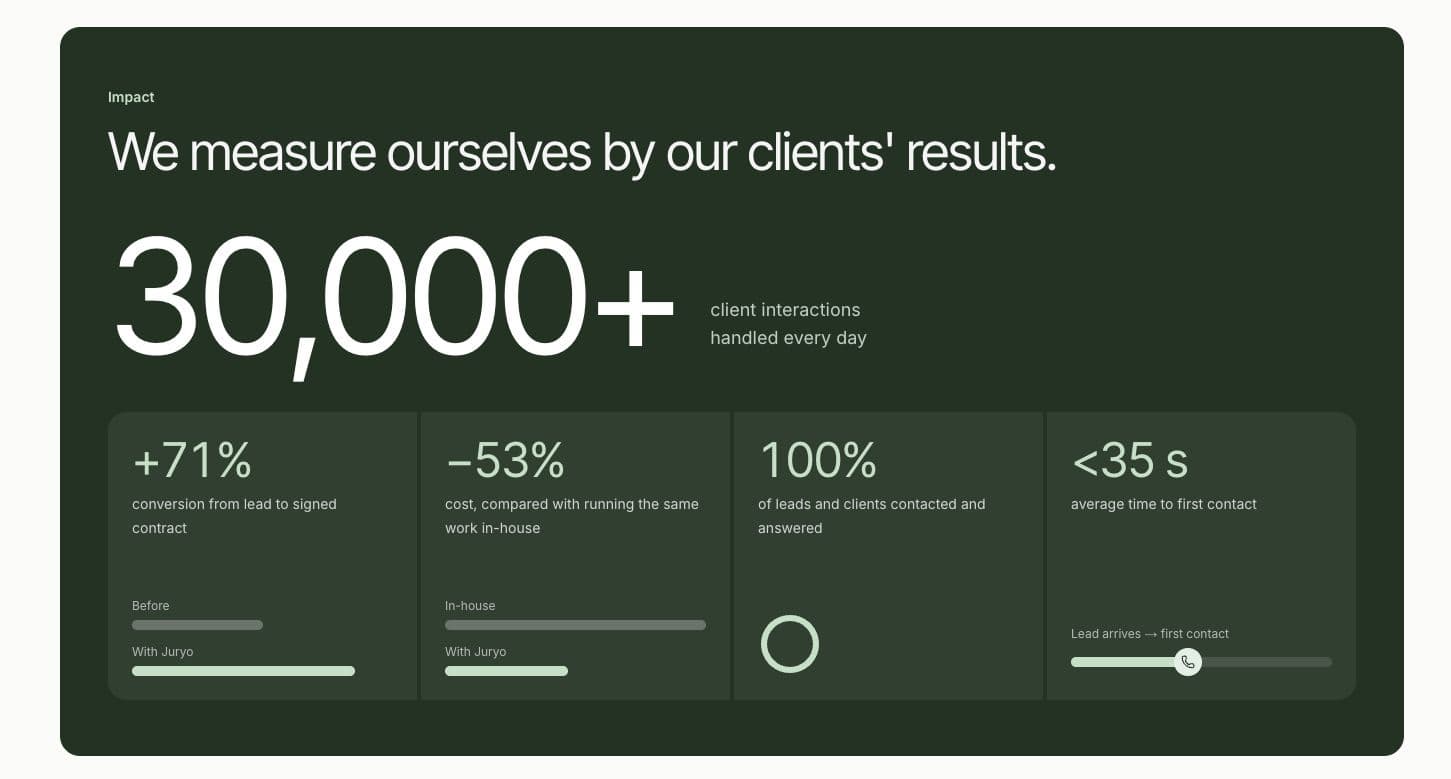
Juryo reports these results across its clients:
- 30,000+ client interactions handled every day
- +71% conversion from lead to signed contract
- 53% lower cost than running the same work in house
- 100% of leads and clients contacted and answered
- Under 35 seconds average time to first contact
Firms including Distrito Legal, Campmany Abogados, Saldados and Bufete Robles use Juryo.
Final verdict
Client onboarding software generally offers a secure client portal and hopes clients will send the documents in due time. However, this leads to delays in document submission and often leads to chasing clients for missing documents. Jessica runs the conversation that gets the documents in. She asks for what the case needs, follows up on the channel the client answers, and hands over a complete file to the solicitor.
The right choice depends on where legal onboarding stalls at your firm:
- Juryo for B2C firms where missing documents stall a new matter
- Thirdfort or Legl where the bottleneck is AML and source of funds
- InfoTrack eCOS or Hoowla where the problem is with conveyancing
- Clio for Clients is for firms already using Clio Manage
- Moxo is best for firms building their own workflows
With Juryo, James signs the client, Jessica completes the file, and Julia looks after the client once they’re onboarded. All three of these agents function on a shared memory. Juryo reports 100% of leads and clients contacted and answered across its clients. So, give your law firm the power of autonomous AI agents and book a demo with Juryo today.
FAQs
1. What is client onboarding software for law firms?
Client onboarding software takes a new client from a signed engagement letter to a complete case file: requesting documents, running checks and collecting forms. Some tools give the client a portal to upload into. Jessica, Juryo's onboarding agent, asks for the documents directly, follows up until they arrive and hands over a complete file to a fee earner.
2. What is the difference between intake and law firm client onboarding?
Intake qualifies an enquiry and turns it into a signed client. Law firm client onboarding starts after the client says yes: collecting the documents the matter needs and preparing the file for the solicitor. At Juryo, James closes the engagement letter and Jessica handles onboarding, on one shared memory, so the client never repeats themselves.
3. Does client onboarding software handle AML checks for solicitors?
Some tools do. Thirdfort, Legl and InfoTrack eCOS run ID, AML and source of funds checks. Jessica's job is different: she gets the case documents in and checks the file is complete before handover. ID and AML checks stay with your existing provider.
4. Do I still need a client portal for law firms if I use Juryo?
You can keep one for storage and status updates. Jessica collects the documents on WhatsApp, phone or email, checks nothing is missing, and the completed file lands in your systems. Juryo integrates with Clio Manage, so Clio firms can keep Clio for Clients alongside Jessica without changing how solicitors work.
5. Can onboarding happen in Spanish?
Yes, Jessica works in English and Spanish, 24/7, on voice, web chat, social media, WhatsApp and email. A client who is more comfortable in Spanish can send their documents and ask questions in Spanish at any hour, and your team still receives a complete file. Julia answers their case questions in the same language afterwards.
6. How long does Juryo take to set up?
Under two weeks. Juryo analyses your onboarding process, sets Jessica up around your firm's own document lists, tone and rules, and connects her to the systems you already use. Firms hire one agent at a time, so you can start with onboarding and add James or Julia later.
7. How much does Juryo cost?
Pricing is based on successful conversion, so Juryo is paid when your firm signs clients. There is no published price list. Book a demo to see Jessica working with your own document list.