The 7 best AI tools for lawyers (2026, tested)
October 26, 2026 · 33 min read
AI tools for lawyers now do four separate jobs: winning new clients, doing the legal work, running the firm, and handling practice specific tasks such as personal injury demand letters. As a law firm, you should utilise AI and use it to fix the job where you lose the most time or fees.
To help you get the most out of the AI tools for lawyers available today, we’ve ranked seven AI tools for lawyers by the job each does best. We’ve also updated each product’s name, features, and price from the vendors’ own sites with information as of October 2026. Our comparison includes a detailed comparison table, a breakdown of each tool, guidance on what to buy first, and what UK solicitors need to know about AI for law firms.
Juryo publishes this list and ranks first for client intake, where missed enquiries can mean lost business. George, Juryo’s qualification agent, answers enquiries across phone, WhatsApp, email, and web chat, in English and Spanish, 24/7.
The top tools for lawyers: At a glance
Finding the best AI tool for your firm requires you to understand which work you need to automate first. This comparison covers each tool’s primary use, its best use case, and its up-to-date pricing available as of October 2026.
| Rank | Tool | Best for | Category | Practice fit | Pricing |
|---|---|---|---|---|---|
| 1 | Juryo | Client intake across phone, WhatsApp, email, and web chat, in English and Spanish | AI intake | Consumer firms with high inbound enquiry volumes | Based on conversion |
| 2 | Harvey | Complex legal work at scale | General legal AI platform | Large firms and enterprise legal teams | Not published |
| 3 | Lexis+ with Protégé | Research and drafting grounded in LexisNexis sources | Legal research and drafting | Litigation and transactional teams using LexisNexis | Not published, quote on request |
| 4 | CoCounsel Legal | Research grounded in Westlaw and Practical Law | Legal research | Litigators using Thomson Reuters | Contact sales |
| 5 | Spellbook | Contract work inside Microsoft Word | Drafting and contract review | Transactional lawyers, solo and mid-sized firms | 7-day free trial, then custom pricing |
| 6 | Clio Manage AI features (formerly Clio Duo) | Firm operations within Clio | Practice management | Firms using Clio Manage | ncluded in Clio Manage, Core from £79/user per month |
| 7 | EvenUp | Personal injury demand letters and medical chronologies | Personal injury AI | US personal injury firms | Not published, demo or call for pricing |
If your firm loses or is losing enquiries it receives outside of office hours, feel free to Book a Demo to see how George handles qualification, booking, and follow-up across all four channels.
The four jobs AI actually does for a law firm
AI for law firms fall into four categories: getting clients, doing legal work, running the firm, and handling practice-specific tasks. Each of these jobs are honed by different AI tools for lawyers. Understanding these categories will help you choose the right tool for your specific use case.
- Getting clients: AI intake tools answer enquiries, qualify prospective clients, book consultations and follow up. Clio Grow AI is a new option for law firms, which launched in August 2026 and is available to UK firms on email and website chat. However, its phone agent is currently available only in the US. When it comes to getting clients, the difference between different AI tools for lawyers is how much of the intake process a tool covers, across which channels, languages, and hours. This is where George comes in. It can handle phone, WhatsApp, email, and web chat in English and Spanish, 24/7, with shared memory across channels. George can also qualify enquiries, book consultations, follow up, and hand structured records to your firm’s CRM directly.
- Doing the legal work: Legal AI tools support research, drafting, contract review and document analysis. There are several AI tools for lawyers available today that use agents to handle multi-step tasks. This includes different platforms ranging from Harvey Agents and LexisNexis’ Protégé Work to Spellbook Associate and Clio Work.
- Running the firm: Practice management tools help solicitors organise matters, manage deadlines, handle billing and reduce administrative work. Clio Manage’s AI features excels in this department with AI-assisted task support and document summary support, which it brings into Clio Manage.
- Practice-specific work: These tools handle tasks associated with a particular area of law. EvenUp is a leading example in this segment, which helps personal injury firms prepare demand letters, build medical chronologies, and manage other stages of a claim.
So, why do these four categories matter? Because based on the categorisation, you can easily understand which areas your firm needs the most help with and accordingly invest in that segment first. Research, drafting, and practice management help you handle existing matters more efficiently. Client intake determines how many qualified enquiries reach your fee earners in the first place.
How we tested
We have used five different criteria to identify how AI tools for lawyers best perform for UK law firms. Our goal was to compare the practical value of the tools we’ve ranked across different workflows. Here are the criteria we’ve used.
- Performance: How well the tool handles the legal or intake workflows it is designed to support.
- Ease of implementation: How straightforward it is to set up and how much time the team needs to learn it.
- Integrations: How well the tool works with your existing legal tech stack, including legal software, document management systems, and calendars.
- Pricing: Whether pricing is published, how it is calculated, and whether the cost suits your firm’s size and requirements.
- UK availability: We’ve tried to look for tools that are available and support the specific UK legal content and workflows.
Since our last update, Lexis+ AI has become Lexis+ with Protégé, Clio Duo's features have moved into Clio Manage, and Clio launched Grow AI in August 2026.
The 7 best AI tools for lawyers
Here is our selection of the seven best AI tools for lawyers. Our curated search is conducted to help you fulfill various jobs for your law firm, including, bringing in new clients, supporting research, drafting, and case preparation.
1. Juryo: Best for client intake and running the practice

Juryo is the strongest fit for UK and Spanish consumer law firms. Why? Because it can help firms answer enquiries 24/7 while also using its persistent memory to manage conversations across multiple channels. George handles the intake process right from the first enquiry and goes through all the steps, such as qualification, consultation booking, and follow-up, without hand holding.
Juryo also offers other specialised AI agents, namely James for sales, Jessica for onboarding, Julia for customer support, and John for collections. George leads by answering the enquiry then James and Jessica take over for signing and onboarding the client.
Why Juryo stands out: Client intake is a crucial business process that effectively works as a qualifying agent for all your incoming leads. It gets to determine, which leads reach your fee earners. So, an unanswered call, an unreturned WhatsApp message, or an enquiry left in an inbox can mean potentially losing a client, even before a solicitor can assess their case.
George stands out in this area because it offers omnichannel client intake coverage. Its coverage includes phone, WhatsApp, email, and web chat, in English and Spanish, 24/7. Shared memory keeps the conversation connected across channels, so when a prospect calls your firm on a Friday and then sends a WhatsApp message on Saturday, they don’t have to repeat their information.
Key features
- Answers enquiries across four channels: George handles phone calls, WhatsApp messages, emails, and web chats, 24/7.
- Qualifies prospective clients: It assesses enquiries against your firm’s own qualification criteria, including practice area and urgency.
- Books consultations and follows up: Juryo can book consultations, collect documents, and send engagement letters for signature. It can also continue following up with a prospect until they respond.
- Escalates to a fee earner when needed: George can perform a human handoff for conversations that need human intervention.
- Hands structured records to your CRM: George prepares a record containing details such as case type, key dates, opposing parties, and qualification outcome.
Proven results
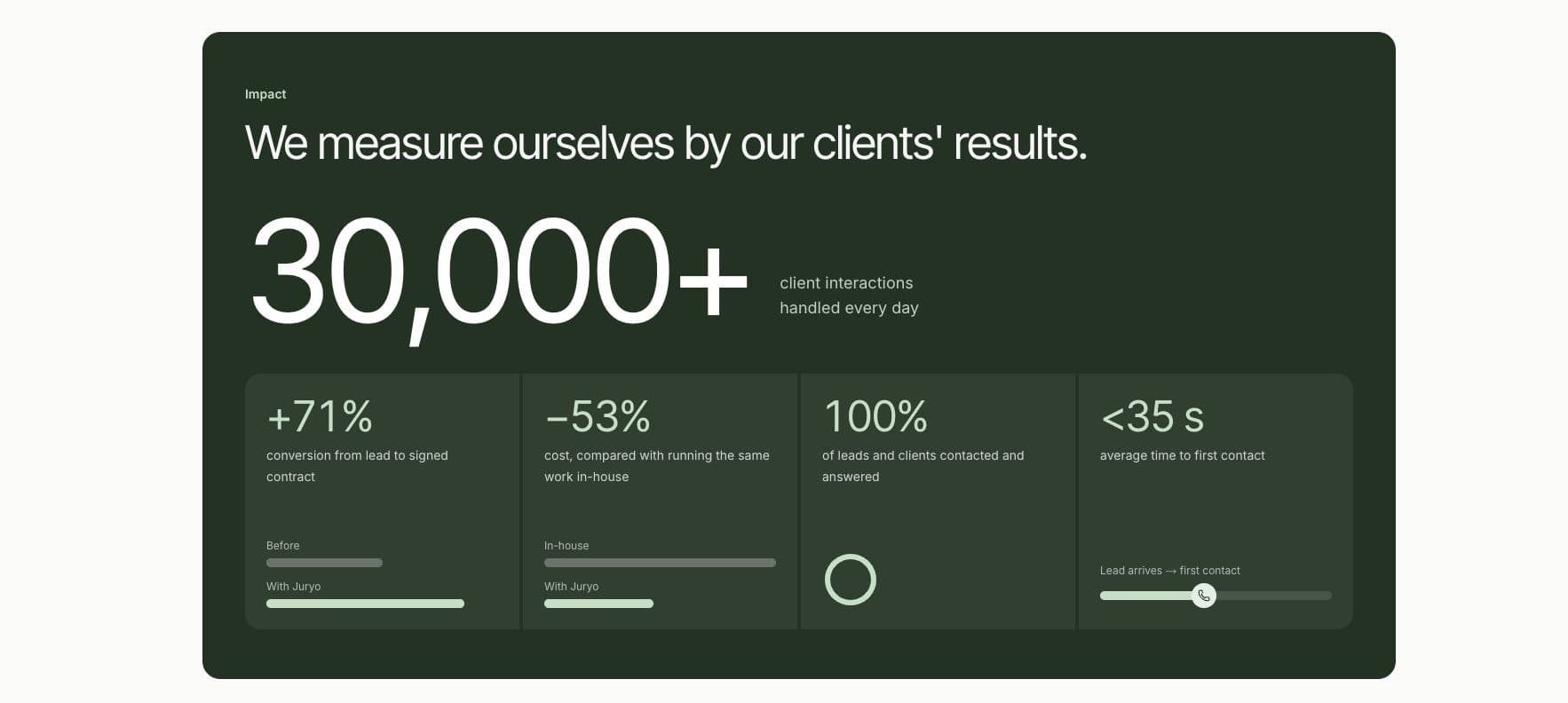
Juryo reports:
- +71% conversion from lead to signed contract
- Under 35 seconds, average time to first contact
- 100% of leads and clients contacted and answered
Firms using Juryo include Legálitas, Sello Legal Abogados, and indemniza.me.
Pros
- Covers four channels (phone, WhatsApp, webchat, and email) in English and Spanish through one agent (George), with shared memory
- Stores data in the EU, offers a Data Processing Agreement (DPA)
- Does not use your client conversations to train models
- Sends structured records to your firm’s existing CRM
- Qualifies leads and books consultations with them within the intake process
Cons
- No published fixed price. This makes it harder for firms to compare pricing against a public rate card.
Pricing: Based on conversion. Juryo prices on conversion, and there’s no fixed published price.
Juryo does not do legal research or contract review. Its agents run the firm's client facing work, from the first enquiry to the signed client and the complete file, so it sits alongside the specialist tools below.
2. Harvey: Best for complex legal work at scale
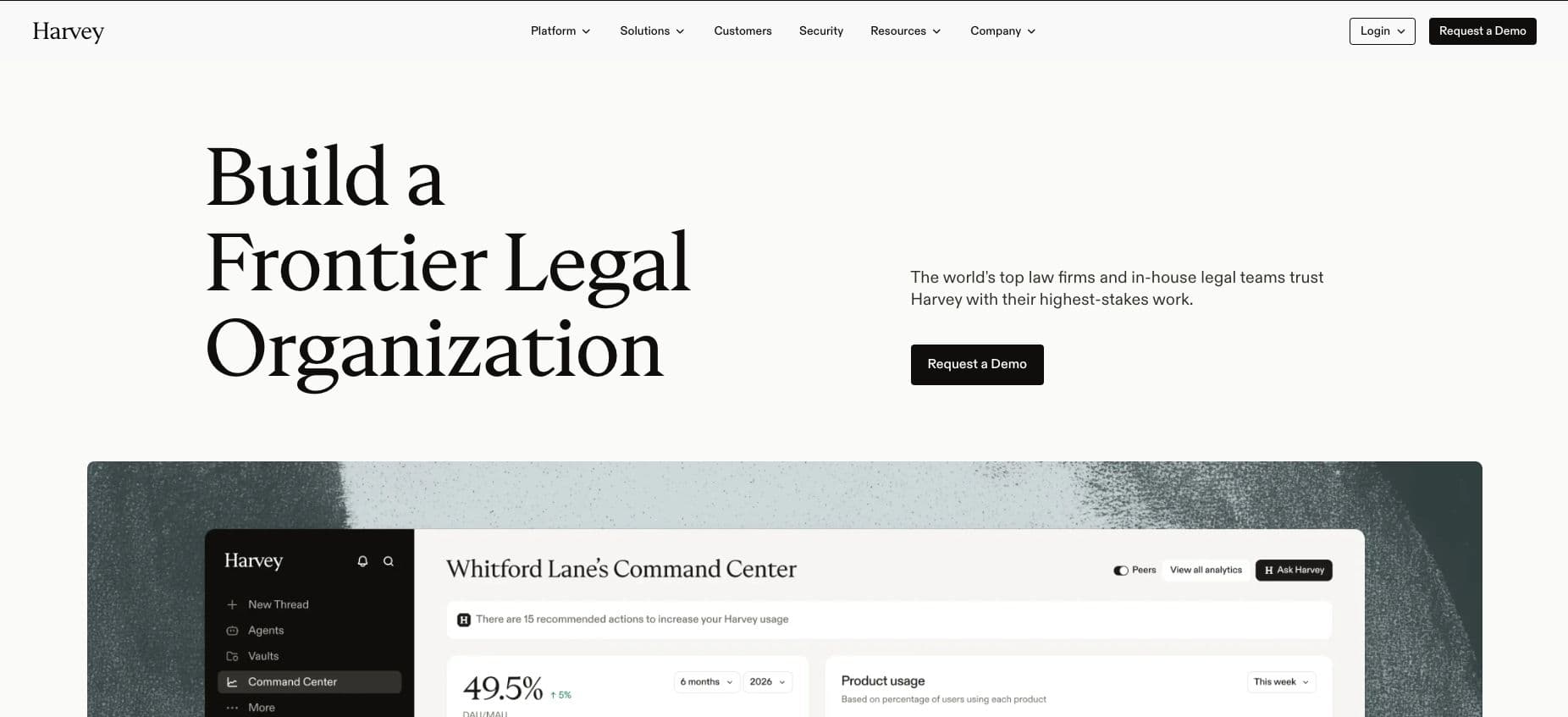
Harvey is an AI platform for legal and professional services. If you’re wondering, yes, Harvey.ai is loosely inspired by the confident and smooth talking protagonist lawyer from the hit TV show Suits. It can perform complex, multi-step work, which is one of its main strengths. This platform is best suited for large law firms and enterprise legal teams that need AI across different roles, namely research, document analysis, drafting, and wider legal workflows.
Key features
Harvey supports different stages of legal work through dedicated products and features, from legal research and document analysis to workflow orchestration and organisational oversight.
- Agents: Run multi-step workflows to help legal teams handle complex tasks
- Vault: Supports work with legal documents and matter-related information
- Knowledge: Helps legal teams work with organisational knowledge
- Spaces: Provides workspaces for collaborating on legal matters
- Contract Intelligence: Supports contract analysis and related workflows
- Horizon Scanning: Helps legal teams monitor relevant developments
- Intake and Legal Work Orchestration: Supports intake processes and the coordination of legal workflows
- Harvey Mobile: Extends access to Harvey through mobile devices
- Command Center: Gives organisations tools to manage Harvey across their teams
Harvey also includes Memory, a feature shipped in September 2026 that helps maintain context across work. Unlike the products listed above, Memory is a feature rather than a standalone module. Harvey reports serving more than 3,500 legal organisations and 200,000+ professionals in 85+ countries, including 80+ AmLaw 100 firms.
Pros
- Used by 3,500+ legal organisations across 85+ countries
- Offers agents that can handle complex multi-step tasks
- Supports several legal work through one platform
Cons
- Pricing is not published, making costs difficult to compare before engaging with the sales team
- Harvey is not the strongest fit for high-street firms, because of its focus on large firms and enterprise
- Its Intake product routes internal requests to in-house legal teams; it does not answer or qualify prospective clients, so firms still need a separate intake solution
Pricing: Not published. You must contact Harvey for pricing information.
3. Lexis+ with Protégé (formerly Lexis+ AI): Best for research with citation validation
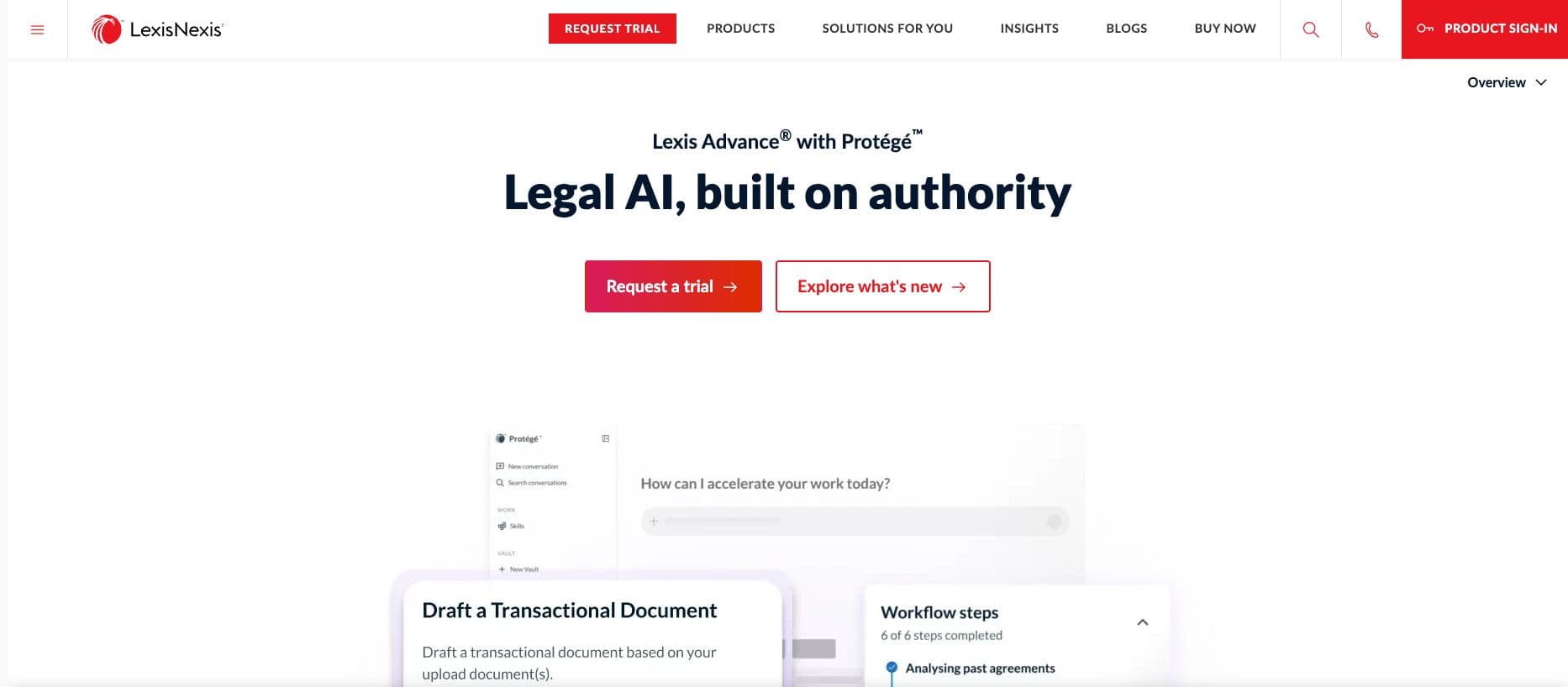
Lexis+ AI is now Lexis+ with Protégé, following its US launch in February 2026. The platform is a strong fit for firms that rely on authoritative legal content. Its UK edition offers crucial legal work capabilities, including AI-assisted legal research, analysis, and drafting. Protégé works with LexisNexis primary law, secondary sources, and Practical Guidance to support legal research and analysis.
Key features
- Research grounded in legal sources: Protégé works with LexisNexis primary law, secondary sources, and Practical Guidance to support legal research and analysis.
- Document drafting and review: With the help of Lexis+ solicitors can draft full documents, review material, and use guided workflows for common legal tasks.
- Summaries and timelines: The platform helps organise information from documents into summaries and timelines.
- Vault: Provides a workspace for working with relevant documents and information.
- Citation checking: The UK edition offers citation checking through LexisNexis Citation Agents. This shows the status and treatment of a case.
- Integrations: Lexis+ with Protégé supports integrations with iManage, SharePoint, and NetDocuments.
LexisNexis launched Protégé Work and Workrooms in May 2026 with global rollout expected to continue throughout 2026. The availability of the UK edition is not confirmed yet.
Pros
- Brings research, analysis, and document drafting into one workspace
- Can ground research and drafting in a major legal content library
Cons
- Pricing is not available publicly
Pricing: Not published, quote on request.
4. CoCounsel Legal: Best for litigation research
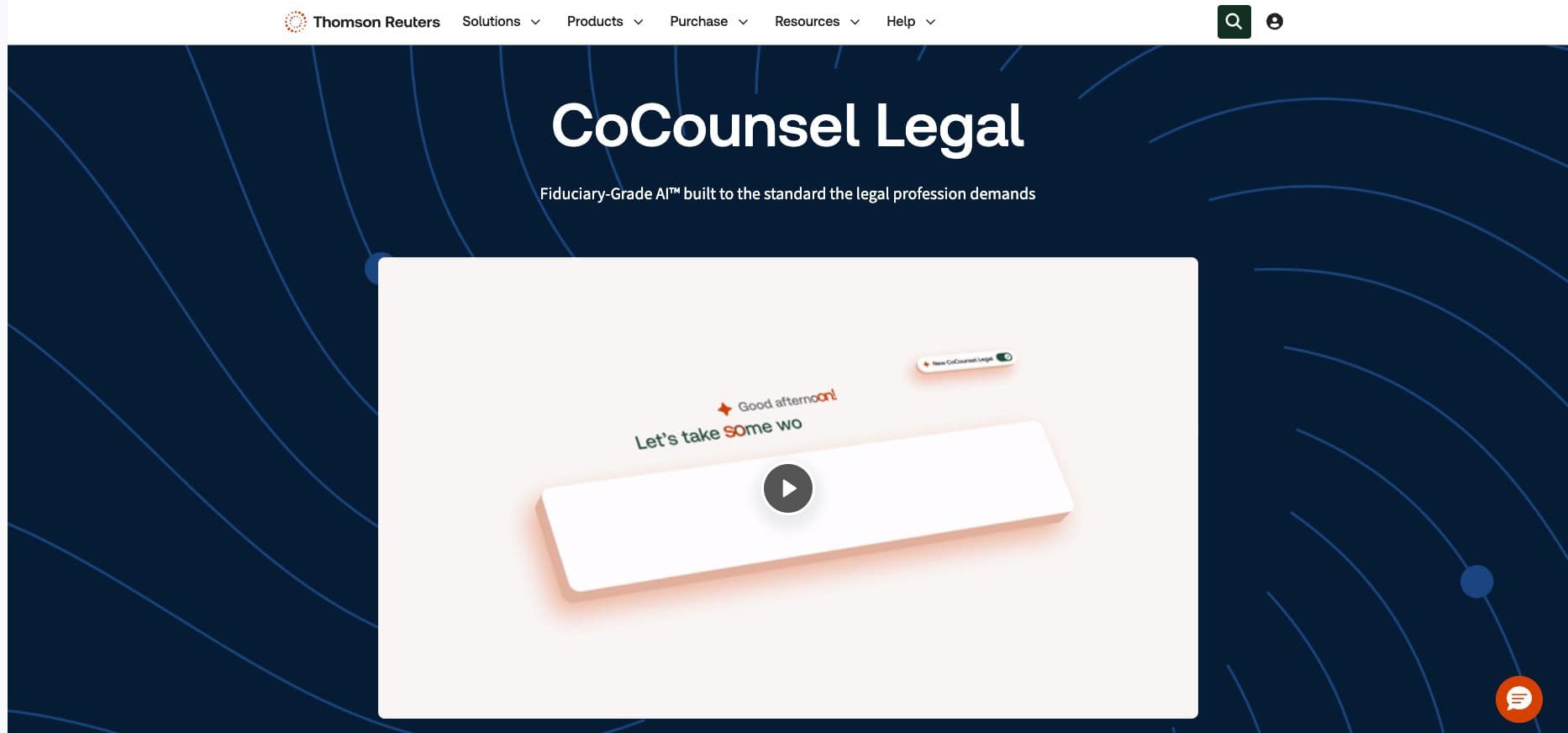
CoCounsel Legal is Thomson Reuters’ AI platform for legal research, analysis, drafting, and document review. If you’re a solicitor or litigator who needs help with legal research that’s grounded in Westlaw and Practical Law, CoCounsel Legal is a strong fit.
Key features
- Deep research: Can navigate Westlaw Advantage UK and Practical Law to investigate complex legal questions
- Litigation Document Analyser: Can help law firms review and proofread case documents
- Document summary, review, and comparison: Allows comparison and review across different case documents
- Document management integrations: Works with Microsoft Word and 365, document management systems such as iManage and SharePoint, and Thomson Reuters HighQ.
Thomson Reuters launched CoCounsel Legal in the UK on 26 January 2026, with Westlaw Advantage UK and Practical Law content available to support its Deep Research capabilities.
Pros
- Grounds research and work product in Thomson Reuters legal content
- Fits into document management systems that large law firms use
- Offers a UK edition built around Westlaw Advantage UK and Practical Law
Cons
- Pricing requires contact with the sales team
- Its strength doesn’t lie with client intake and broader enquiry management
Pricing: Not available, demo on request.
5. Spellbook: Best for contracts inside Microsoft Word
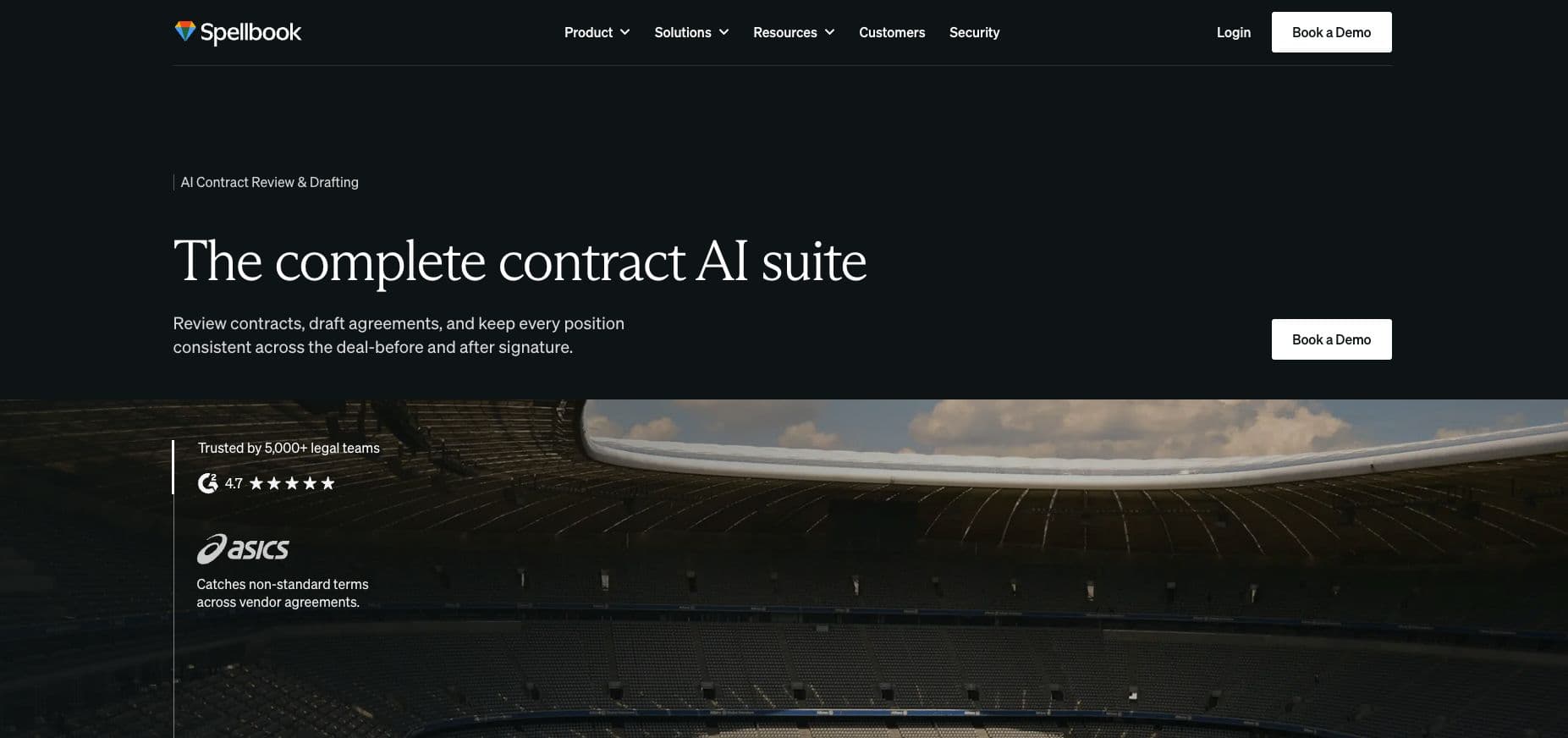
Spellbook is an AI tool for contract drafting and review. It works directly inside Microsoft Word. It is a great fit for transactional solicitors who regularly draft agreements, review clauses, and check contracts. The best part about using Spellbook is that it lets you review clauses and contracts against your firm’s standards without switching to a separate app.
Key features
- Review: Analyses contracts and identifies potential issues. This helps solicitors review agreements easily.
- Draft: Helps generate and revise contract language within Microsoft Word.
- Ask: Lets you ask questions about the contract and get assistance with its review.
- Compare: Lets you compare contracts and helps solicitors find potential issues.
- Playbooks: This feature allows firms to apply their own review standards and preferred positions across contracts.
- Associate: This is an AI agent designed to work across multi-document matters.
For a firm looking for contract drafting AI vendors, Spellbook is a strong pick. Its primary strength comes from the fact that it works directly inside Microsoft Word. Its focus on drafting and review makes it a more specialised option than platforms built for broader legal research.
Pros
- Works inside Microsoft Word
- Playbooks are useful for solicitors to apply their own contract review standards
- Includes a seven-day free trial
Cons
- Purpose-built for contract drafting and review rather than litigation research and overall firm operations
- Pricing is customised by team size and is not published
Pricing: Spellbook offers a seven-day free trial, followed by custom pricing based on the number of users.
6. Clio Manage AI features (formerly Clio Duo): Best for firm operations
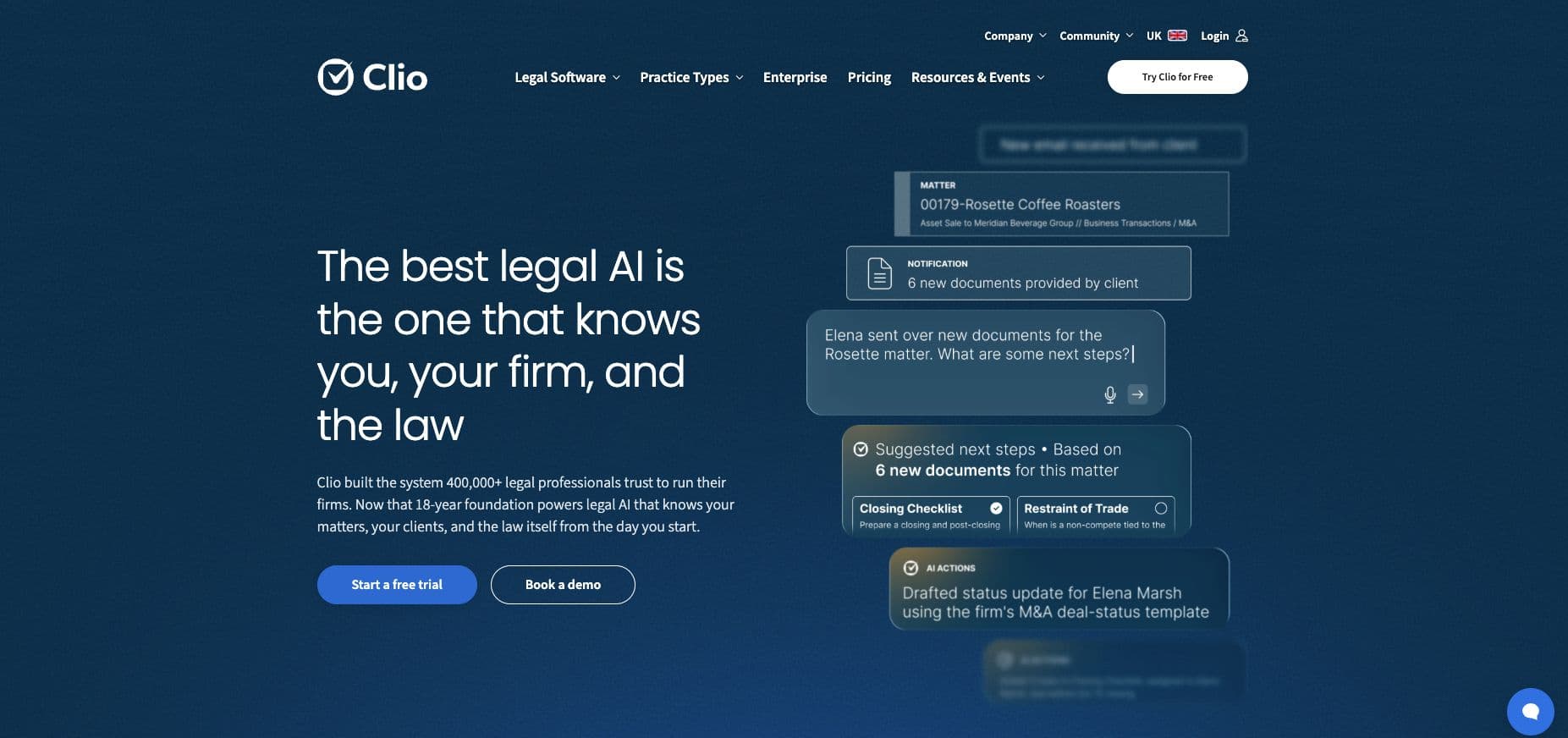
Clio Duo's features now live inside Clio Manage as built-in AI. It helps law firms reduce admin work. It turns information from legal documents into tasks and calendar events. It also helps draft invoices and fill expense entries from uploaded receipts. Lastly, as for its AI capabilities, it can help you summarise documents.
Key features
- Deadline and task management: Clio Manage’s AI features can extract deadlines from court documents and turn them into calendar events and tasks
- Billing support: It can draft invoices and fills expense entries from uploaded receipts
- Document summaries: Solicitors can use AI-generated summaries to get through documents and find relevant information efficiently
- Clio’s wider AI offering: Clio Work offers legal research through Clio Library, built on vLex. Clio Grow AI launched on 20 August 2026. It offers AI agents for answering calls, scoring leads, booking consultations, and following up with leads
Clio Grow AI is available to UK firms on email and website chat for £20 per hired matter, with a monthly cap. The phone agent offered by Clio is currently only available in the US. Grow AI does not offer WhatsApp, and in the UK it cannot answer the phone. If you’re addressing its intake capabilities against other options, see our guide to Clio Grow alternatives.
Pros
- Adds AI-assisted workflow features into a practice management system firms already use
- Helps reduce administrative effort across billing, deadlines, and document review
- Now offers an AI product range, including separate tools for research and client intake
Cons
- Clio Manage’s AI features are tied to the Clio ecosystem, it is not suited for firms that use other practice management systems
- Grow AI’s phone agent is not available outside the US as of yet
Pricing: Clio Manage’s AI features have no separate pricing and are included in Clio Manage. Clio Manage Core starts at £79 per user per month. Signature and Elite plans require a pricing enquiry. Clio Grow AI is billed separately at £20 per hired matter in the UK, with a monthly cap.
7. EvenUp: Best for personal injury demand letters
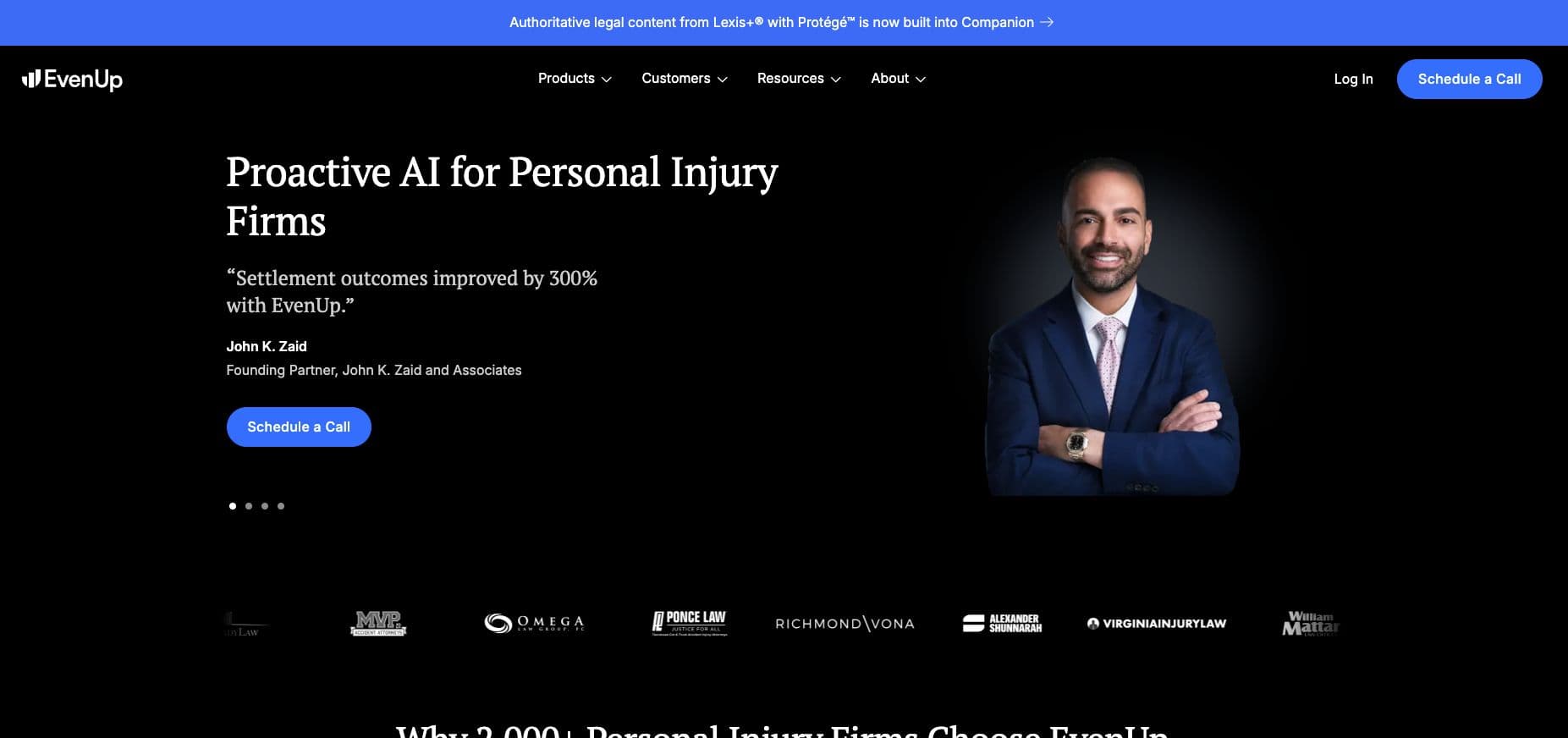
EvenUp is an AI-based platform built specifically for personal injury law firms. It covers several stages of a claim rather than demand letters alone. It helps teams prepare demand packages, organise medical records, and manage supporting work throughout a case. This makes EvenUp a specialised tool for firms that handle a high volume of personal injury matters.
Key features
- Demand letter generation: Produces demand letters in the firm’s preferred tone
- Medical chronologies: Turns medical records into structured chronologies
- Treatment tracking: Helps teams track treatment information across a personal injury case
- Discovery support: Supports discovery-related work by helping organise and analyse case information
- Trial drafting: Extends AI assistance to drafting tasks associated with trial preparation
EvenUp reports serving more than 2,000 personal injury firms. Its specific focus on personal injury legal work, helps it stand out from competition like Lexis+ with Protégé and Harvey.
Pros
- Purpose-built for personal injury practices
- Helps turn medical records into structured chronologies
- Supports multiple stages of a claim
Cons
- It is built for the US personal injury market, so UK claims processes fall outside its intended scope
- Its specialisation makes it less relevant to firms outside personal injury practices
Pricing: Pricing is not published. You must contact EvenUp for a demo or pricing information.
AI for law firms at the front door: answering service vs full intake
There is a distinct difference between an answering service and a full intake software. An answering service takes the message and passes it to your team. It doesn’t qualify the message. A full intake software goes further by qualifying the incoming leads. It also books a consultation with the lead, follows up with them, and hands a structured report of the enquiry to your legal practice management software.
What an answering service does?
An answering service answers incoming calls, that’s the primary function. It collects the contact details of the caller and takes a message for your team (think of it like an answering machine for your law firm). It ensures no calls are missed and that your clients can reach you at any time, even when the staff are unavailable. However, when you use an answering service, the leads are sent over to your team as they come, there’s no qualification. So, the intake process still requires a fee earner to call the prospect back to discuss their requirements.
The more work your fee earners have to do to bring clients into your firm, the less time they will have to actually work on the cases they’re assigned. For a closer look at this category and to understand its pros and cons better, see our guide on legal answering services.
What full intake does?
Full intake qualifies a prospective client during the initial conversation and moves the enquiry towards a consultation. George handles this across phone, WhatsApp, email, and web chat. It uses your firm’s specific criteria to assess practice area and enquiry urgency.
Juryo’s other AI agents also help convert enquiries into signed matters with Jessica retrieving relevant documents and James sending the client an engagement letter for signature.
This way your team is not left with chasing every incomplete enquiry manually.
This process also produces a structured record for your firm’s CRM, including the case type, key dates, opposing parties, and qualification outcome. Your team receives more than a message to return. And more importantly, the enquiries that do not align with your firm’s criteria are automatically disqualified. This ensures your team receives enquiries that have already progressed through the intake process and are in line with your firm’s criteria.
You can learn more about legal intake software here.
Meet George
George handles enquiries across four channels in two languages while maintaining a persistent memory of the leads. So, when a prospect calls and then later sends a message on WhatsApp it all remains a part of the same enquiry when they identify themselves.
Your firm can configure George around its practice areas, qualification criteria, urgency, and preferred tone, and upload a knowledge base to guide its responses. George can use your knowledge base to answer questions and escalate conversations to a fee earner when needed.
Juryo integrates with Clio Manage and works alongside Filevine, MyCase or a spreadsheet. As a platform, Juryo stores data in the EU and allows clients to set data retention rules as per the firm’s needs. A Data Processing Agreement is also available for clients with the assurance that client conversations are not used to train models.
Proof
Juryo reports:
- +71% conversion from lead to signed contract
- Under 35 seconds, average time to first contact
- 100% of leads and clients contacted and answered
Firms using Juryo include Legálitas, Sello Legal Abogados, and indemniza.me.
Juryo pricing
Juryo’s pricing is based on conversion and there’s no fixed published fee. If you want to move beyond an answering service and achieve prospect qualification, consultation booking, and automated follow-ups using one tool, Book a Demo to see how George fits your intake process.
Which AI tool should your firm buy first?
The best first purchase depends on where your firm loses the most time or potential revenue. So, always use your biggest bottleneck as the starting point to maximise revenue potential. Then add specialist tools to your workflow, as and when you need. Here’s a decision matrix to help you get started.
| If your firm needs | Start with | Why? |
|---|---|---|
| More qualified prospects and fewer missed enquiries | Juryo | It is a powerful full intake platform that can answer queries across phone, WhatsApp, email, and web chat, in English and Spanish, 24/7 with persistent shared memory. |
| Faster legal research and drafting | Lexis+ with Protégé or CoCounsel Legal | Both platforms support research and drafting grounded in established legal content. This helps solicitors work through complex material more efficiently. |
| Contract drafting and review in Microsoft Word | Spellbook | Spellbook works directly inside Microsoft Word, which is why it is best suited for contract drafting and reviewing on Word. |
| Enterprise-scale legal AI | Harvey | Its broad platform and multi-step agents suit large firms handling complex work across multiple practice areas. |
| AI-assisted practice management | Manage AI by Clio | It supports administrative work such as deadlines, billing and document summaries for firms already using Clio Manage |
| Personal injury demand letters and medical chronologies | EvenUp | It is purpose-built for personal injury law firms, operating in the US market. |
| Enquiries answered in Spanish or on WhatsApp | Juryo | George can handle both as standard, 24/7, alongside email and web chat. |
No single platform is the right choice for every law firm. The choice always depends on the work you want to improve on first.
AI for lawyers without minimum seats
Not every AI tool for lawyers is priced per seat. There are various pricing models available that differ by product. For example, Spellbook offers a seven-day free trial and then prices as per team size. Juryo’s pricing is based on conversion. Clio Grow AI is billed per hired matter, whereas Harvey, Lexis+ with Protégé and CoCounsel Legal require private pricing discussions. This goes to show that you should compare how each tool charges for the work it handles before proceeding with one.
Best AI tools for solo lawyers and small firms
As a solo lawyer or a small firm, your goal with AI tools for lawyers should be to try and automate the tasks that take you the most time and cost the most revenue loss. For a small firm, this is often unanswered enquiries or administrative work, so generally that’s a good place to start. If unanswered enquiries are your biggest problem, here’s how Juryo can be a strong choice for your firm or practice.
| What your firm needs | Why Juryo is a strong choice |
|---|---|
| Every enquiry answered, including evenings and weekends | George works 24/7 across phone, WhatsApp, email, and web chat with persistent shared memory |
| Spanish-speaking clients served properly | George handles the full intake conversation in either English or Spanish without any handoffs |
| Only qualified matters reaching fee earners | George qualifies enquiries against your own criteria, including practice area and urgency |
| Consultations booked without a callback | Jessica collects relevant documents and James sends engagement letters to collect signatures |
| Clean data in the CRM you already use | Juryo integrates with Clio Manage and works alongside Filevine, MyCase, or a spreadsheet. If the CRM is unreachable, the record is queued and retried so no lead is lost |
| UK and EU data handling | Data is stored in the EU, retention is set by the firm, a DPA is available, and conversations are not used to train models |
Final verdict
The best AI tools for lawyers are the ones that solve your firm’s biggest operational problems. As we’ve demonstrated in this guide, find your firm’s bottlenecks and use AI tools for lawyers to address the issues. If client intake is your main concern, you can check out George that handles enquiries across phone, WhatsApp, email, and web chat, in English and Spanish, 24/7.
Once your intake process is optimised, you can move on to add specialised research, drafting, and practice management AI tools for lawyers to your workflow. So, to get started, Book a Demo to see how Juryo can support your firm’s client intake.
Frequently asked questions
1. What is the best AI tool for lawyers in 2026?
There is no single tool for every legal task. Lexis+ with Protégé is a strong option for legal research and drafting grounded in LexisNexis content. For client intake, Juryo is the strongest fit: George handles enquiries across phone, WhatsApp, email and web chat, in English and Spanish, 24/7. It qualifies prospective clients, books consultations and follows up.
2. Can AI replace a lawyer?
No, AI can support legal research, drafting, document review, administration and client intake, but it cannot replace a lawyer’s professional judgment, legal advice or responsibility for a client’s matter. Lawyers must review AI-generated work, verify legal authorities and ensure the final advice is appropriate to the facts and applicable law.
3. What is the best free AI tool for lawyers?
General-purpose AI tools can help lawyers brainstorm, summarise information, and produce first drafts, but they should not replace verified legal research or professional review. For contract work, Spellbook offers a seven-day free trial before moving to custom pricing based on team size. Check each provider’s current terms before relying on a free plan or trial for confidential client work.
4. Is AI accurate enough for legal research?
AI can help lawyers find relevant information, analyse documents and prepare research summaries, but accuracy depends on the tool, its source material and the task. AI-generated answers can contain errors or refer to authorities incorrectly. Use tools grounded in established legal sources where appropriate, check citations against the original authorities, and review the output before using it in advice or court documents.
5. Are AI tools for lawyers secure and confidential?
Security depends on where data is stored, how long it is retained, whether conversations are used to train models, and the contractual protections available. Firms should review the provider’s data-processing terms and ensure the tool meets their confidentiality and data protection requirements.
Juryo stores data in the EU, allows firms to set retention periods, offers a Data Processing Agreement (DPA), and does not use conversations to train models.
6. How much do AI tools for lawyers cost?
Pricing varies by product and how it is used. Harvey, Lexis+ with Protégé, CoCounsel Legal, and EvenUp do not publish standard prices and require firms to enquire about pricing. Spellbook offers a seven-day free trial, followed by custom pricing based on team size.
Clio Manage Core starts at £79 per user per month. Clio Grow AI is available to UK firms for £20 per hired matter, subject to a monthly cap. Juryo’s pricing is based on conversion.
7. What is the best AI for lawyers in the UK?
The best AI for lawyers in the UK depends on the work a firm needs to improve. Lexis+ with Protégé and CoCounsel Legal support research and drafting grounded in established legal content, while Harvey serves firms handling complex legal work at scale. Spellbook is designed for contract drafting and review in Microsoft Word. For firms focused on converting prospective clients, Juryo handles intake across phone, WhatsApp, email and web chat in English and Spanish, 24/7.
8. Which vendors offer the best workflow automation tools for lawyers?
The right tool depends on which workflow you want to automate. Juryo focuses on client intake, including qualification, consultation booking, and follow-up. Manage AI by Clio supports administrative tasks such as deadline management, invoice drafting, and document summaries within Clio Manage. Harvey Agents support multi-step legal work, while LexisNexis has introduced Protégé Work for more complex workflows, although its availability on the UK edition has not been confirmed. For a closer look at intake and other processes, read our guide to legal workflow automation.
9. Is there AI for law firms without minimum seats?
Some AI tools use pricing models that are not based solely on the number of seats. Juryo’s pricing is based on conversion, while Clio Grow AI charges UK firms per hired matter, subject to a monthly cap. Spellbook prices according to team size, and several enterprise legal AI providers quote privately. However, published pricing information does not confirm that every vendor has no minimum seat requirement. Firms should check the terms with each provider before choosing a product.
10. How do Harvey and Lexis+ with Protégé differ on pricing?
Neither Harvey nor Lexis+ with Protégé publishes a standard per-lawyer price. Harvey does not publish standard pricing, so firms need to contact its sales team for a quote. It is better to compare both platforms on their proposed package, including capabilities and licensing terms rather than assuming either platform has a lower cost.