How to Connect AI Intake to Your Law Firm CRM
September 18, 2026 · 29 min read
Most firms shopping for an AI intake agent spend every minute of the demo on the conversation. How natural does it sound, does it interrupt, what happens when somebody mumbles a street name. Almost nobody asks the question that decides whether the thing actually saves any work, which is where the answers go once the call ends.
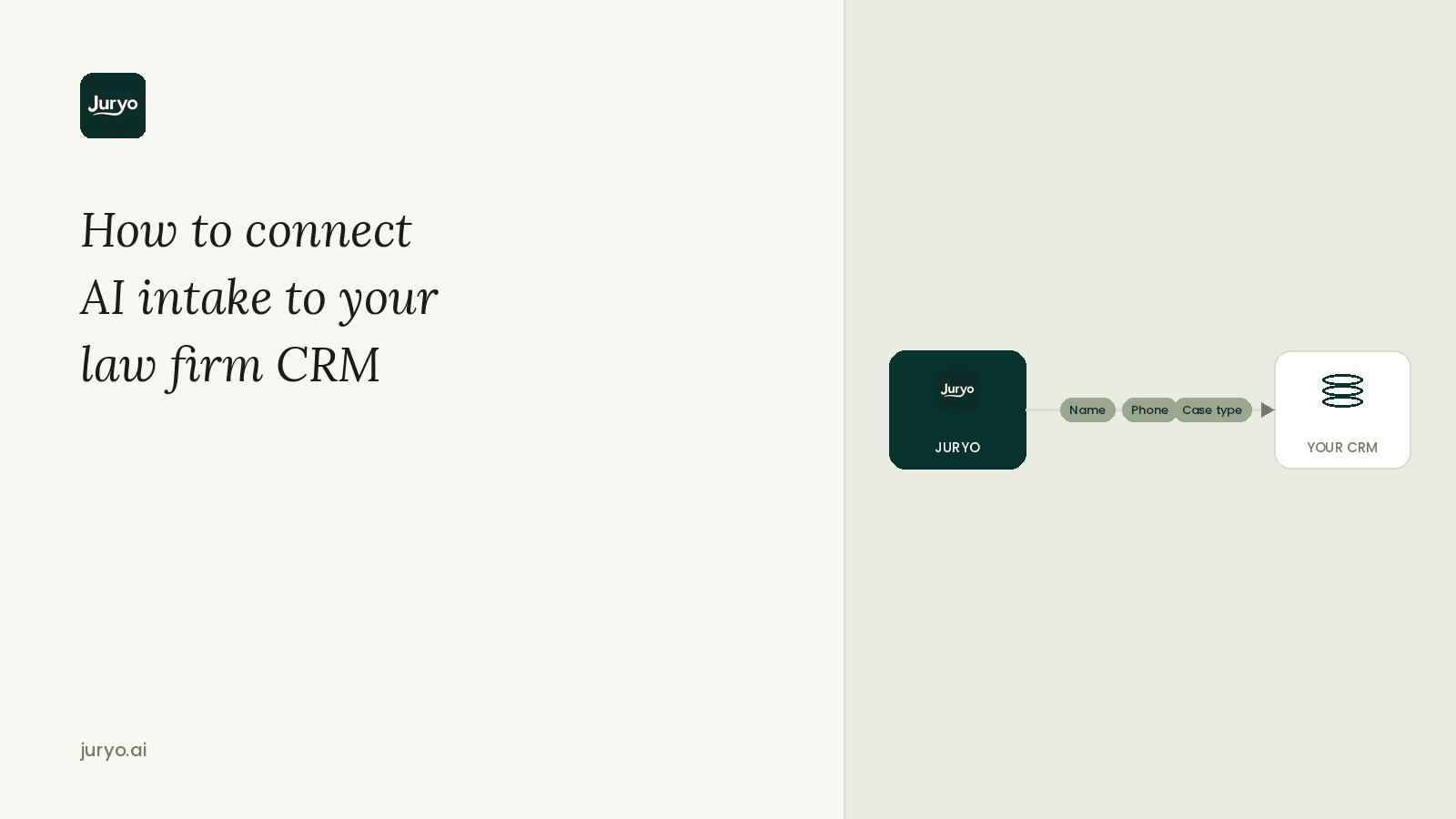
To put it plainly, connecting AI intake to your law firm CRM means the agent posts the qualified lead, the structured call data, the transcript and the booked consultation directly into the system your team already opens every morning, as fields your staff can filter and report on, so nobody copies anything across by hand.
That last part is where the money is. An agent that screens a caller beautifully at 9pm and files the result in its own dashboard has not removed a job from your firm. It has moved it, from answering the phone to reading a second system every morning and retyping what it finds. You are then paying for software to generate admin.
None of this requires you to change CRM, and you should be suspicious of any vendor who suggests you do.
In this guide we cover what a law firm CRM is and how it differs from the case system you already run, which intake data actually needs to flow, the three ways the connection gets made, a step by step setup you can hand to whoever configures it, the parts you should deliberately leave manual, and what to test before the first real caller.
What Is a Law Firm CRM, and What Does Connecting AI Intake Mean?
A law firm CRM is the system that manages prospective clients. It holds leads, where each one came from, the qualifying information your team gathered, the follow up sequence, and the reporting that tells you how many enquiries turned into signed matters. Its job starts at the first contact and ends the moment somebody hires you.
That is a different job from the three things it gets confused with.
It is not practice management software, which takes over once a matter exists and handles cases, documents, deadlines, time entries and billing. It is not document automation, which generates paperwork from templates and cares nothing about the enquiry that produced it. And it is not the contact form on your website, which captures whoever was patient enough to fill it in and asks no questions at all.
Client intake and CRM software is often sold bundled with all three, which is exactly why firms end up unsure which system is supposed to own a lead who has not hired anyone yet.
The distinction matters here because intake data belongs in the CRM layer first. A caller at 9pm who may or may not have a viable claim is not a matter. Pushing every unqualified enquiry straight into your case system fills your matter list with people who never became clients and quietly ruins your conversion reporting.

A connection between an AI intake agent and your CRM is doing three separate jobs, and it is worth judging each one on its own:
- The record: the caller's details, the qualifying answers, the outcome and the transcript, written into the right fields on the right lead rather than pasted into a note.
- The calendar: the consultation booked onto the diary the attorneys actually look at, with the matter details attached so whoever takes the meeting is not reading it cold.
- The reporting line: the lead source and channel carried through intact, so you can still tell which campaigns produce signed cases once the agent is handling the phone.
Most setups get the calendar right and the other two half right. The reporting line is the one that fails silently, because nothing looks broken until the day a partner asks which adverts paid for themselves and the answer for every enquiry since March is "AI agent".
Which Intake Data Should Flow into Your CRM First?
Not every field is worth the same. Some cost you a case when they go missing, some cost you a report, and some are nice to have if the mapping is cheap. If the integration has to be built in stages, build it in this order.
The table below ranks what comes out of an intake conversation by what breaks when it does not arrive, how much work it usually takes to map, and how soon you feel the benefit.
| Data point | What breaks without it | Effort to map | Priority |
|---|---|---|---|
| Caller name, phone and email | Nobody can follow up at all | Low | Immediate |
| Booked consultation, date and time | The meeting exists in one system only and gets double booked | Low | Immediate |
| Qualification outcome: qualified, disqualified, needs attorney review | Your team reads every record to find the three worth acting on | Low | Immediate |
| Practice area and matter type | Leads sit unrouted instead of reaching the right attorney | Low | Immediate |
| Channel and time of first contact | You cannot measure response time or staff the busy hours | Low | High |
| Answers to your qualifying questions | The consultation starts from scratch and the caller repeats themselves | Medium | High |
| Jurisdiction | Cases you cannot take reach the diary and waste attorney time | Low | High |
| Limitation period or deadline flags | A viable claim can expire inside your own pipeline | Medium | High |
| Lead source and marketing attribution | Spend cannot be traced to signed matters | Medium | High |
| Documents the caller has already sent | The consultation starts without the paperwork it needs | Medium | High |
| Conflict check result | Conflicts surface at the consultation instead of before it | Medium | Moderate |
| Reason for disqualification | You never learn that a campaign is buying enquiries you cannot act on | Low | Moderate |
| Language of the conversation | The callback and the consultation get staffed in the wrong language | Low | Moderate |
| Full call or message transcript | No record of what was actually said or promised | Low | Moderate |
The rule behind the ranking is simple. If a good receptionist would have written it on a pad and handed it to an attorney, it belongs in a field you can filter, sort and report on. The transcript is the backup, not the filing system. When the qualifying answers exist only inside a block of text, the integration has stopped at the contact record, and your team is back to reading every enquiry before anyone can act on it.

How to Connect AI Intake to Your CRM: A Step by Step
A law firm CRM integration goes wrong in configuration, not in code. Work through these steps in order, with whoever owns your CRM in the room, before anyone switches anything on.
Step 1: Map Where a Lead Currently Lands
Take your last twenty enquiries and trace each one from first contact to signed retainer. Write down every system it touched and every point where it sat still waiting for a person. Those pauses are what you are buying an intake agent to remove, and you need them documented now so you can prove later whether the integration actually removed them.
Step 2: Turn Your Qualification Criteria into Fields
Your qualifying questions probably live in a partner's head or on a laminated card by the phone. Write them out per practice area, then decide what each answer looks like as data: a yes or no, a date, a picklist, a number. Do the same for your hard disqualifiers, usually wrong jurisdiction, an expired limitation period, or a conflict. This is the step firms skip, and it is the reason so many intake records arrive as prose.
Step 3: Choose How the Connection Is Made
There are three routes, and the honest trade offs are worth stating.
- A direct API or webhook push. The intake agent posts the structured record straight into your CRM as soon as the conversation ends, with no third system in between. This is the cleanest option and it is how modern legal CRMs are built to receive leads.
- An automation layer in the middle. Middleware moves the record from one system to the other and connects to almost anything, which is why older or heavily customised setups end up here. You are adding a subscription, a delay measured in seconds or minutes, and a place where a record can fail without anyone noticing. Somebody at the firm has to own those error alerts by name.
- Calendar and scheduling sync only. The consultation lands on the diary and a person creates the CRM record. It takes an afternoon to set up and it leaves the manual step in place, so treat it as a first stage rather than the finished job. If booking is the whole problem you are solving, AI appointment scheduling for law firms deals with that piece by itself.
Step 4: Decide Which System Owns a Lead
Before any record moves, agree which system is the source of truth for a prospective client, and what changes once they sign. Ninety percent of duplicate problems are really this question left unanswered. It is a five minute decision now and a data cleanup project in six months.
Step 5: Map the Fields, Including Your Custom Ones
Sit down with the field list from Step 2 and the ranked table above, and map them one at a time into the CRM, custom fields included. Then decide where anything left over lands, whether that is a note on the record or the transcript, so nothing quietly disappears between the two systems. This mapping is worth doing once, properly, before the first live call rather than patching it afterwards.
Step 6: Write the Duplicate Rules Down
Agree the matching logic explicitly rather than accepting the default. Match on phone number and email, then decide what happens in the three cases that always come up: a known client calling from a different number, somebody ringing three times about the same accident, and a lead who signs and needs to exist as one record moving stages rather than two records in two systems.
Decide too where disqualified leads live, which should be out of the active pipeline but still inside the reporting, because they are how you find out a campaign is buying the wrong enquiries.
The version of this problem most firms underestimate is the same person arriving twice on different channels. Someone rings on Tuesday, then messages on WhatsApp on Thursday because they forgot to mention something. Unless the agent carries context between channels, that is two leads, and somebody has to notice.
Step 7: Set the Retention Rules Before Any Real Data Arrives
Intake conversations carry health, financial and immigration details about people who are not yet clients, so decide three things up front: where that data sits, who inside the firm can open a transcript, and how long any of it is kept. Retention is the one that gets left on a default, and a default tends to mean forever. Agree the period, or agree that transcripts are not retained at all, before the first real caller rather than a year in.
Step 8: Test It With Real Calls, Including the Failures
Ring your own intake number four times before you trust it. Once as a clean qualified lead, once as an obvious disqualifier, once as an existing client, and once in Spanish if your firm takes Spanish speaking callers. After each one, open the CRM and check the record against your field map, field by field. It helps to transcribe client intake calls first, so you can compare each captured field against the caller's exact words and see precisely where the AI misheard a name, date, or matter type. Repeat the clean lead once over WhatsApp or email if those channels are live for your firm, because that is where channel specific mapping gaps show up.
Then test the ugly path by taking the connection down and ringing again. A well built integration holds the record on its own side and retries the sync when the CRM comes back, so a lead that arrives at 11pm on a Friday survives an outage nobody notices until Monday.
Step 9: Review the Data Monthly
Once a month, look at three things. Which fields are consistently empty, which tells you the mapping or the script needs work. Which disqualification reasons dominate, which tells you what your marketing is buying. And how long it takes between first contact and a booked consultation, which is the number the whole exercise exists to move. Tighten the qualifying questions from what you find, not from what you assumed in Step 2.
What You Should Not Automate in the Handover
A connected intake workflow should be boring and predictable, which means drawing hard lines around what it is allowed to decide. These stay with people.
- The merit call on a borderline case. An intake agent gathers facts and applies the screening rules you wrote down. Whether an awkward, arguable, potentially valuable case is worth taking is an attorney's decision, and the record should route to a human flagged as needing review rather than being closed.
- Legal advice to a prospective client. The conversation exists to establish fit, not to interpret a statute or suggest a strategy. This is a professional obligation, not a product preference, and it should be explicit in the agent's script and audited in the transcripts.
- Deleting or merging records on its own. Automatic merging looks tidy until two genuinely different people share a landline and their matters get stitched together. Flag suspected duplicates for a human to merge, and keep the audit trail.
- Anyone in crisis. Some callers are frightened, unwell or in danger. Every setup needs a live escalation route and a tested definition of what triggers it, and that route must work at 3am or it is decorative.
- The push into practice management. An enquiry becomes a matter when a person signs, not when a bot scores them highly. Keep the crossing point manual and your case list stays clean. If the wider workflow is what you are redesigning, how to automate law firm intake covers the sequence around this one.
Answering Service vs Full Intake: Why the Difference Decides Whether You Signed the Case
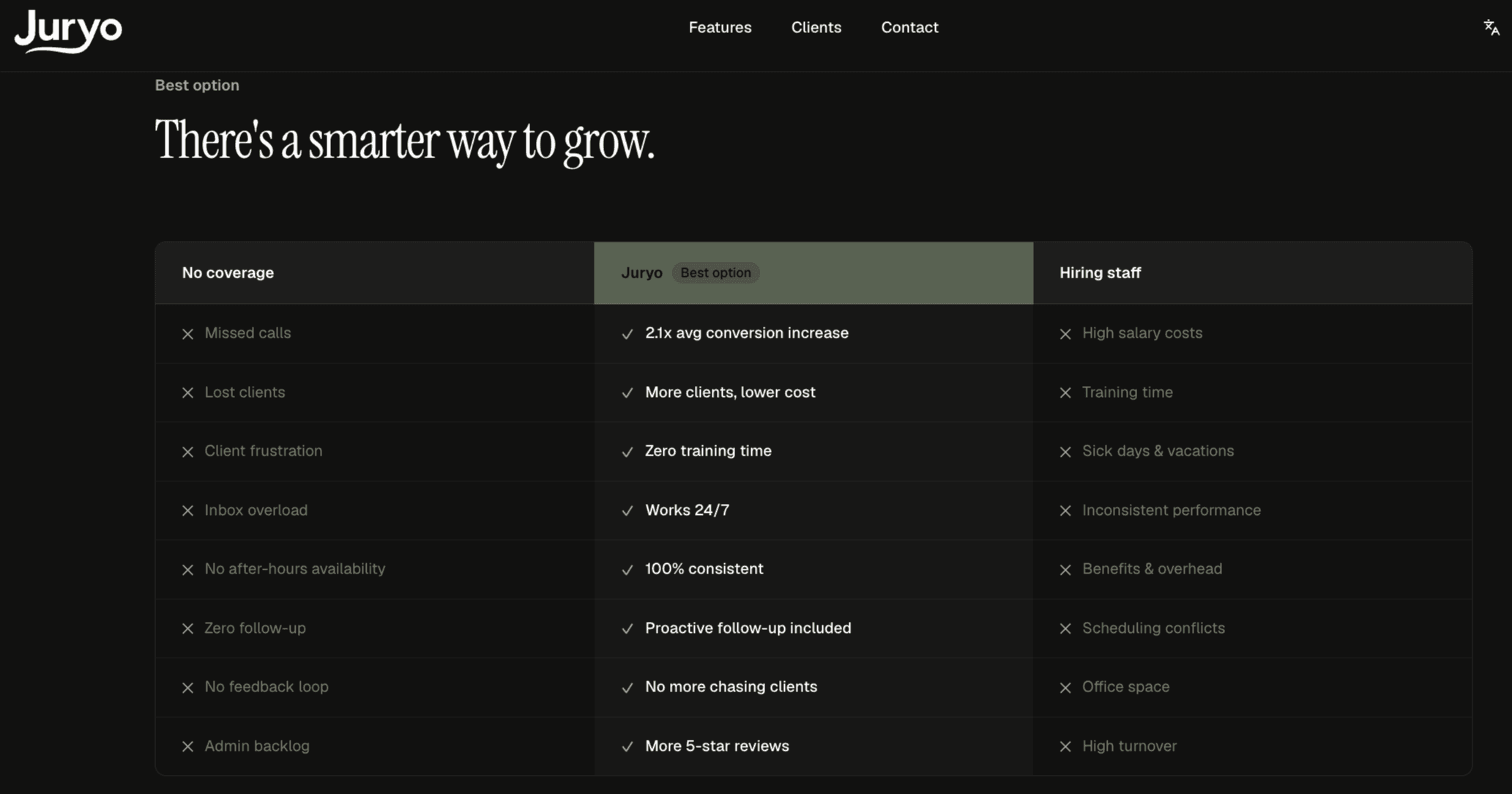
Plenty of firms try to solve the front door by hiring a legal answering service first, then wonder why the CRM looks exactly as empty as it did before.
What a Traditional Answering Service Does
It takes a name, a number and a sentence about why the person rang, then sends your team a message. It does not test the caller against your practice areas, your jurisdiction or your case criteria, because it does not have them.
The consequence is structural rather than a quality problem. Somebody at your firm still has to ring back, ask every qualifying question from the beginning, and decide whether to book. The delay you were paying to remove has simply moved downstream, and it now sits at the point where the caller has already rung two other firms. For a CRM, the output is a message in an inbox, which is the least structured form of intake data there is. Cover for WhatsApp enquiries and Spanish speaking callers is usually thinner again, when it exists at all.
What Full Intake Does Instead
Full intake finishes the job inside the first conversation. The caller is qualified against your criteria while they are still on the phone, the consultation is booked in the same call, and what reaches your CRM is a structured record rather than a message somebody has to action.
Jorge, Juryo's AI intake agent, does this across phone, WhatsApp, email and web chat, in English and Spanish, around the clock, as one agent rather than a separate tool per channel and per language. The qualifying conversation happens once, properly, at the moment the person cared enough to get in touch.
That is the entire reason the integration matters. An answering service produces a message that a human retypes into your CRM. Full intake posts the qualified record into the CRM itself.
Meet Jorge: What a Connected Intake Workflow Looks Like in Practice
Jorge is Juryo's AI intake agent. It answers phone, WhatsApp, email and web chat, works in English and Spanish, runs 24/7, and behaves as one agent across all four channels rather than four tools in a trench coat. Juryo built it specifically for consumer law firm intake, so it handles personal injury, immigration, family, criminal defence and employment, and the qualifying questions follow the logic a good intake paralegal would use instead of a generic call centre script.
Here is how the steps above look when Jorge is the agent.
The Lead Path Stops Depending on Who Is Free
Jorge picks up on the first ring, at 9pm on a Sunday as readily as at 11am on a Tuesday, and the same is true of a WhatsApp message or a web chat at the same hour. The pauses you documented in Step 1 come out of the sequence, because none of the early steps are waiting for a person to be available.
Your Criteria Become the Conversation
Jorge runs a rule based qualification framework built around your practice areas, your jurisdictions and your conflict checks, rather than an open ended chat that happens to mention them. The hard disqualifiers get asked early, so a caller in the wrong jurisdiction is identified during the call rather than at the consultation.
The Structured Record Is Posted Straight into Your CRM
When the qualifying conversation ends, Jorge normalises what was said into structured fields, things like case type, accident date and opposing parties, then posts that record into your CRM over a REST API or a secure webhook. For most modern systems the fields land in the CRM's own intake card, so the record arrives looking like one your team created.
For a legacy or heavily customised setup, Juryo builds the mapping layer instead of asking your firm to change how it works. Calendar and inbox connections are part of the same setup, and Juryo runs alongside the systems firms already use, whether that is Clio Manage, Filevine, MyCase or a spreadsheet.
If your CRM is unreachable when a conversation ends, the record is held on Juryo's side and the sync is retried, so an outage delays the lead rather than losing it.
One Enquiry Stays One Record
Jorge works from shared memory across every channel rather than a separate bot per platform. Somebody who rings on Tuesday, messages on WhatsApp on Thursday and emails a document on Friday is one enquiry with the context carried across all three, not three leads for your team to spot and merge.
The Qualifying Answers Arrive as Fields
What lands is the full picture: contact details, channel and time, practice area, the answers to your questions, the qualification outcome, jurisdiction, any deadline flag, language, source, the booked consultation, the documents the caller has already sent, and the transcript attached to the record rather than standing in for it. Because the practice area and matter type arrive as data, the lead can route to the right attorney automatically instead of sitting in a queue.
Repeat Callers and Existing Clients Are Recognised
Your matching rules are applied on the way in, so somebody ringing for the third time about the same accident updates the lead they already have, and a caller who is already a client is treated as one.
The Data Stays in the EU, on Your Terms
Juryo stores data in the EU and a data processing agreement is available. Retention is set to what the firm needs rather than to a fixed vendor policy, from keeping records indefinitely down to not storing conversations at all, and conversations are not used to train models. For a practice handling immigration, injury or debt matters, that is a decision you get to make rather than inherit.
The Monthly Review Has Something to Read
Because the outcome, the disqualification reason and the source all arrive as fields, the monthly review is a filter rather than an afternoon of reading transcripts. You can see which enquiries convert, adjust the questions, and watch the effect next month.
Run it end to end and the morning looks different. A motorbike accident enquiry comes in at 9pm, Jorge takes the details, establishes the accident date, the jurisdiction and whether another firm is already instructed, flags that the limitation date is close, and books Thursday at 10am. At 8am the attorney opens the CRM to a qualified lead with the answers in fields, the transcript attached, the source recorded and a consultation already in the diary. Not a voicemail, and not a message slip.
Proof: Firms Already Running Connected Intake
Who Is Using It
Jorge is not a pilot. Legalitas, Sello Legal, Indemnizame and DVuelta run their client intake on Juryo, in consumer practices where enquiry volume is high and a missed call is a lost matter rather than an inconvenience.
The Results
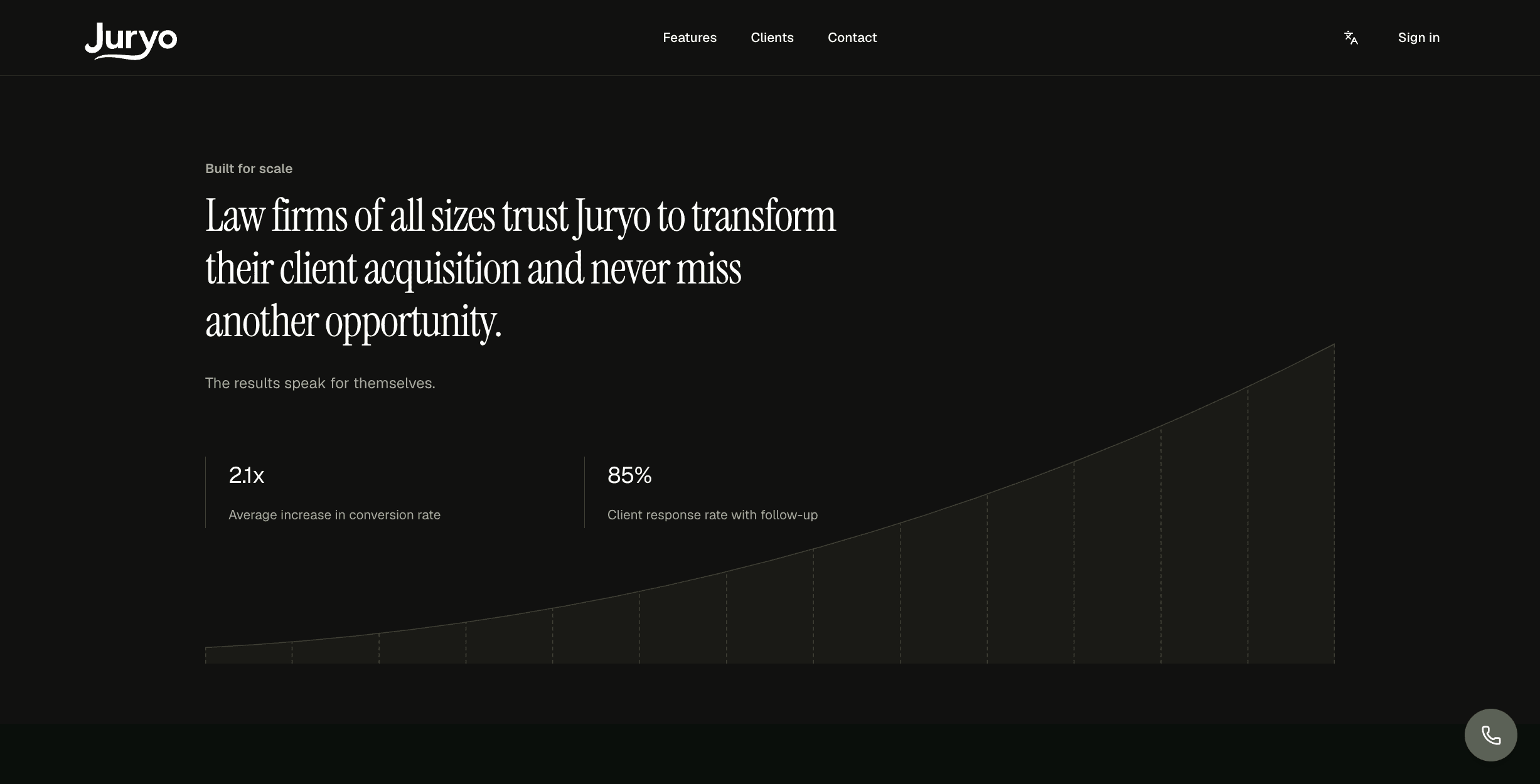
Replacing the manual callback with qualification inside the first conversation changes the arithmetic of a practice. Juryo reports:
- 2.1x average increase in conversion rate
- 85% client response rate with follow-up
Juryo Pricing
Juryo pricing is based on successful conversion.
The structure is deliberate. You are not buying seats for people who will never log in, or minutes that punish you for a good marketing quarter. You pay when an enquiry converts, so the invoice tracks the value Juryo brings in rather than the hours it spends on the phone.
Book a demo for a breakdown scoped to your firm.
Pros and Cons of Connecting AI Intake to Your CRM
An honest read of both sides, because the failure modes are as predictable as the benefits.
Pros
- The record arrives structured, not narrated. Qualifying answers land as fields your team can filter, route and report on, which is what makes the rest of the pipeline work.
- Response time stops depending on staffing. Nights, weekends and holidays are covered without adding payroll, and the CRM shows it because the timestamps are captured.
- Attribution survives the handover. Lead source and channel carry through, so you can still prove which campaigns produce signed cases once an agent is answering the phone.
- The consultation is already in the diary. Nobody re-books, nobody double books, and the attorney walks into the meeting with the matter facts in front of them.
- An outage delays a lead instead of losing one. When the agent queues records and retries the sync, a CRM that goes down overnight costs you a few hours rather than a weekend of enquiries.
- Your existing stack stays put. This is an addition to the front of the workflow, not a migration project, which is why it can go live in weeks rather than quarters.
Cons and Honest Limitations
- Connecting a vague process just speeds it up. If nobody has ever written down the qualification criteria, the integration will faithfully deliver vague records faster than before.
- A custom CRM takes configuration work. A modern system maps into its own intake card quickly. An older or heavily customised one needs a mapping layer built first, which is a real piece of work even when the vendor does it for you.
- More channels means more mapping. Every channel you open is another path a record can arrive on, and each one has to write into the same fields, or your reporting fragments by channel.
- Retention is a decision you have to make. Flexible retention is only an advantage if somebody uses it. Left alone, recordings and transcripts of prospective client conversations accumulate indefinitely, and that is a choice your firm should make deliberately.
FAQ
What Is a Law Firm CRM?
A law firm CRM is the system that manages prospective clients, holding leads, lead sources, qualifying information, follow up and conversion reporting. It covers the period before somebody hires you, which is why intake data belongs there first. It is separate from the system that manages signed matters, although some platforms sell both together.
Can an AI Voice Agent Post Structured Call Data into a Legal CRM After the Call Ends?
Yes. A well built agent normalises the conversation into structured fields such as case type, jurisdiction, accident date and qualification outcome, then posts them into the CRM over a REST API or a secure webhook the moment the call ends. Jorge, Juryo's AI intake agent, does exactly that, so the lead appears as a proper record rather than a note somebody has to read and retype.
Does AI Intake Work Across Phone, WhatsApp, Email and Web Chat?
It should, and with one agent rather than one tool per channel. Jorge covers phone, WhatsApp, email and web chat with shared memory across all of them, in English and Spanish, so a prospective client who starts on the phone and continues on WhatsApp is one enquiry with one record, not two leads that somebody has to notice and merge.
Which Legal CRM and Practice Management Systems Does AI Intake Work With?
Juryo runs alongside the systems firms already use, whether that is Clio Manage, Filevine, MyCase or a spreadsheet, and builds the mapping layer for legacy or heavily customised setups. Nothing about your existing stack has to move, which is the point: the agent sits in front of the CRM rather than replacing it.
Can AI Intake Send the Lead to the Right Attorney Automatically?
Yes, as long as the practice area and matter type arrive as fields rather than buried in a transcript. Once they are structured data, your CRM's own routing rules can assign the lead, and the qualification outcome tells the team which records are worth acting on first.
What Happens to a Lead If My CRM Is Down When the Call Ends?
With Juryo, the record is held on its side and the sync is retried until the CRM accepts it, so the enquiry arrives late rather than disappearing. This is worth checking on any setup, because an intake agent that drops records during an outage will do it on exactly the night you are running ads.
Where Is Intake Data Stored, and Is a DPA Available?
Juryo stores data in the EU and a data processing agreement is available. There is no fixed retention period: it is set to what the firm needs, anywhere from keeping records indefinitely to not storing conversations at all. Conversations are not used to train models.
Do I Need a Legal CRM with AI Built In?
No. An AI intake agent can sit in front of the CRM you already have, which is usually faster and cheaper than migrating a firm onto a new platform for one capability. Migration is a project measured in quarters, and it rarely pays for itself when the actual gap is at the front door.
What Is the Best CRM for Law Firms If You Are Adding AI Intake?
The one your team already uses properly. The legal intake software market is built around sitting alongside an existing system rather than replacing it, so the better question is which CRM your firm will keep its data tidy in. Adding an agent is not a reason to migrate.
How Much Does Juryo Cost?
Juryo pricing is tailored on request and scoped to call volume, practice areas and languages rather than seats or minutes. Costs are aligned to outcomes like response rate and conversion. Book a demo for a quote built around your firm.

Conclusion
Intake is only automated when the output lands where your firm already works. Everything else in an AI intake project, the voice, the script, the coverage, is wasted if the qualified record ends up somewhere your team has to go and fetch it.
Your concrete first step is to write your qualification criteria down as fields, per practice area, including the disqualifiers. Firms that arrive at a law firm CRM integration with that list configure it in an afternoon. Firms that arrive without it spend three months discovering what they meant.
The test of any setup is simple. If the qualifying answers reach your CRM as fields, intake is automated. If they reach it as a paragraph of text, you are still doing intake by hand, just later in the day.
Jorge answers phone, WhatsApp, email and web chat in English and Spanish, around the clock, qualifies against your firm's own criteria, books the consultation, and posts the structured record into the system you already run, with the data held in the EU and retention set to what your firm needs.
Legalitas, Sello Legal, Indemnizame and DVuelta rely on it, and Juryo reports a 2.1x average increase in conversion rate and an 85% client response rate with follow-up.
Ready to stop retyping your own intake notes?